





Oppo has revealed some new AI features coming to its ColorOS skin on top of Android 16 on the upcoming Find X9 Ultra, which is due to be unveiled on April 21.
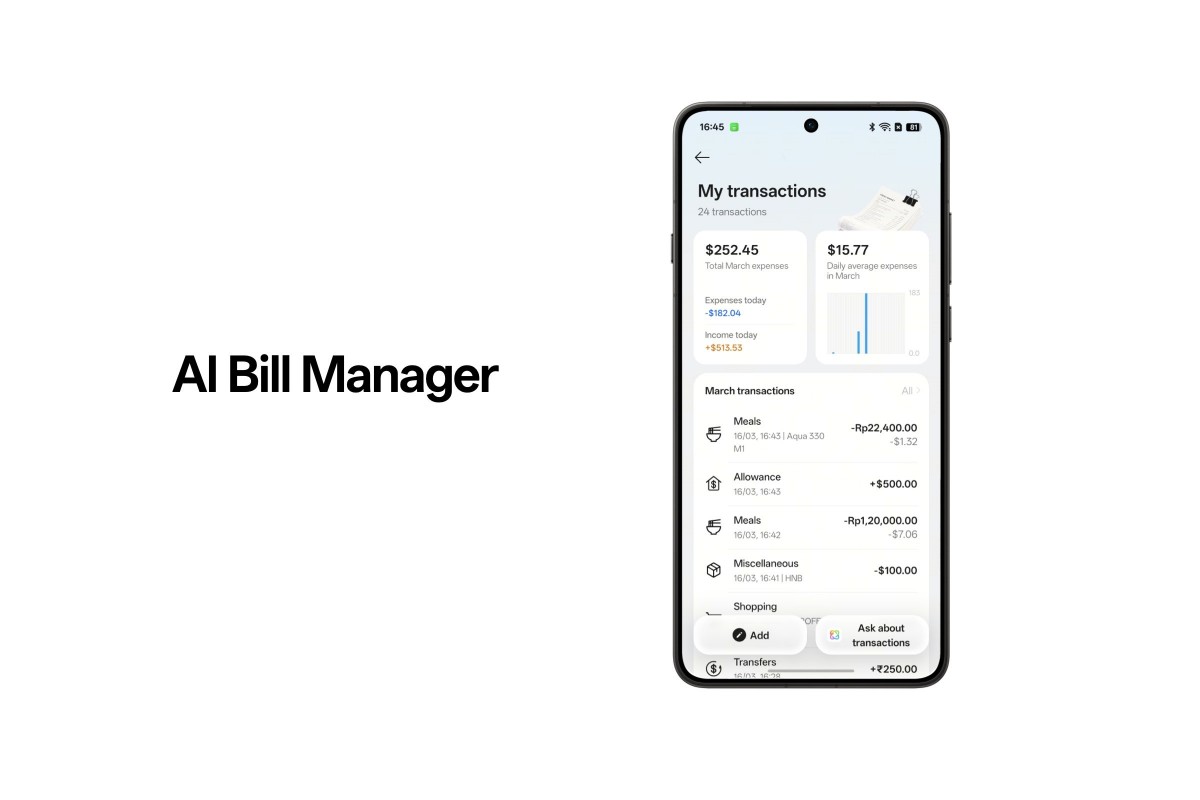
The AI Mind Space introduced with ColorOS 16 now supports AI Bill Manager, which can automatically extract and record key spending details from digital invoices and billing information. To use it, you simply need to enable AI Mind Space by pressing the Snap Key or using a three-finger swipe after making a payment on your phone.
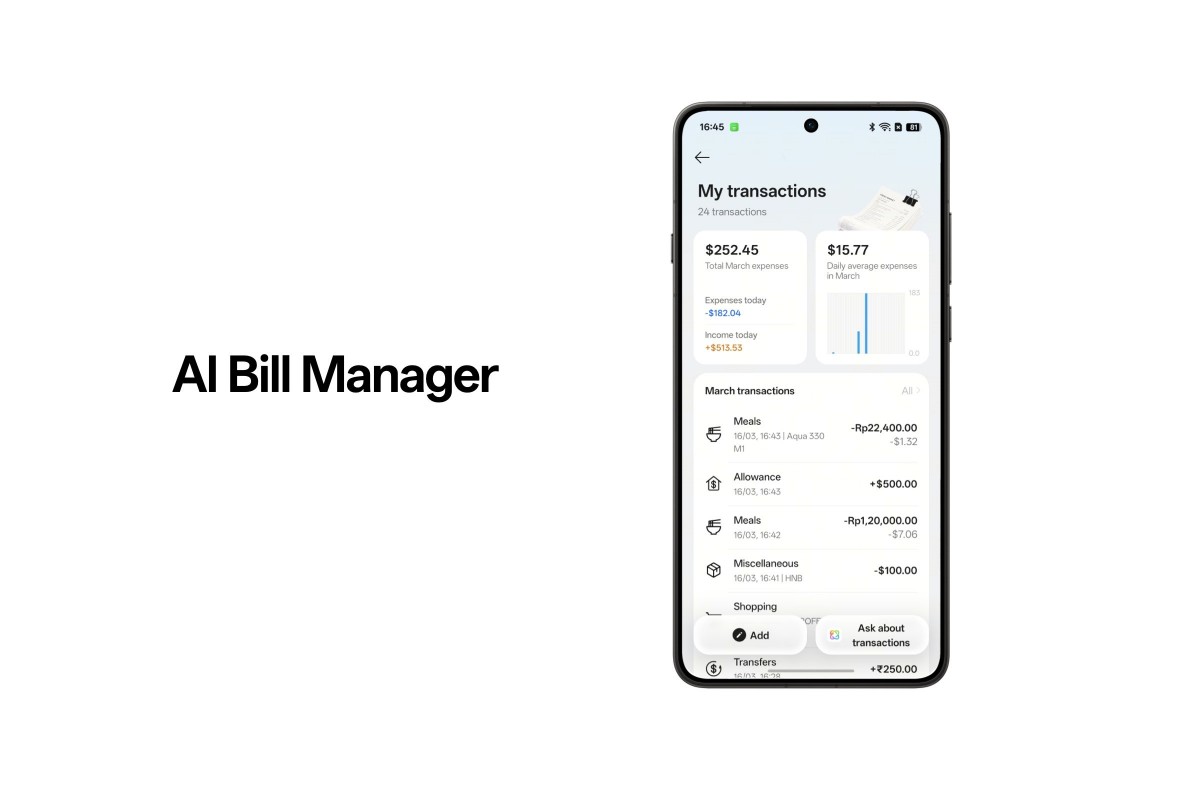
This also works with physical receipts – you just open your camera, activate AI Mind Space with the same gesture, and it will capture and process the information on the receipt, turning it into structured records. All of these records are organized in a dedicated Bill Memory collection within Mind Space.
There’s also AI Mind Pilot, which Oppo bills as “a powerful new capability designed to deliver truly personalized answers by leveraging multiple AI models”. You can simply ask a question and AI Mind Pilot will draw on your personal context from AI Mind Space. It then “intelligently orchestrates a team of leading AI models to handle the complexity for you”.
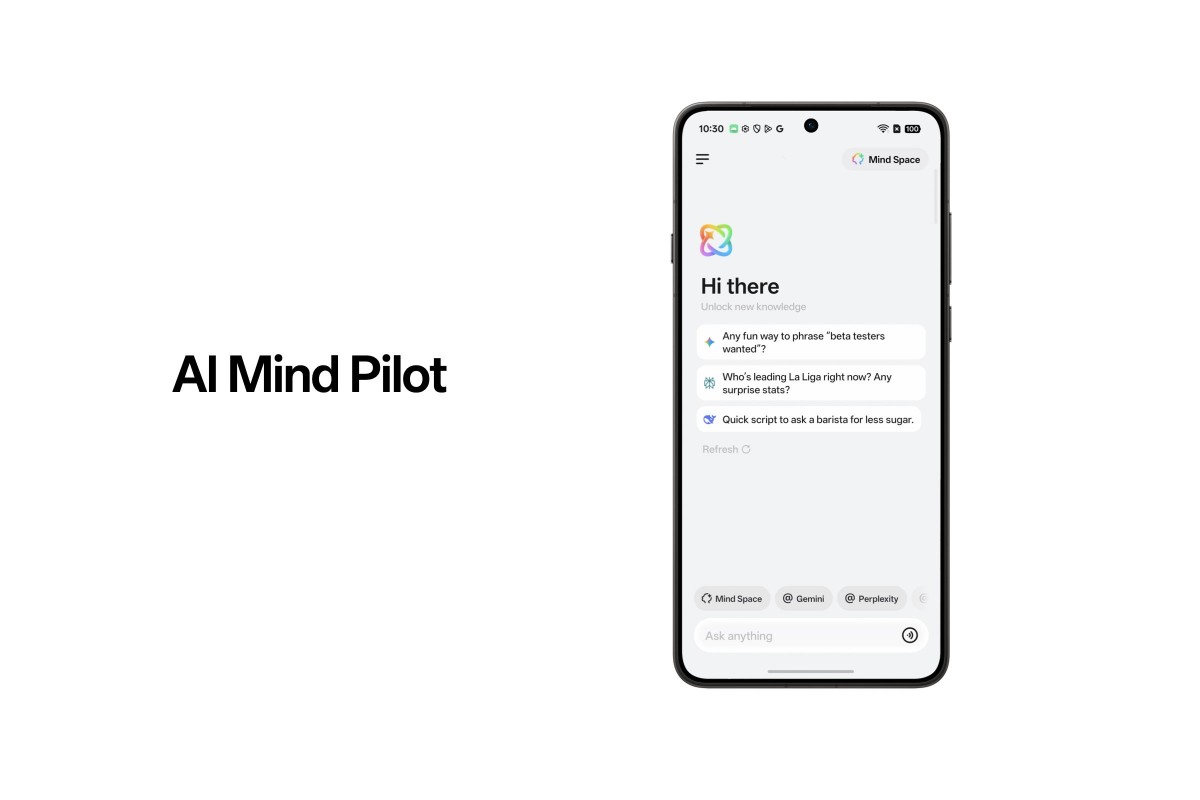
You can choose a preferred model, or engage multiple models at the same time, having them generate responses in parallel, so you can quickly compare perspectives and identify the most relevant insights, “all within a single, seamless experience”.
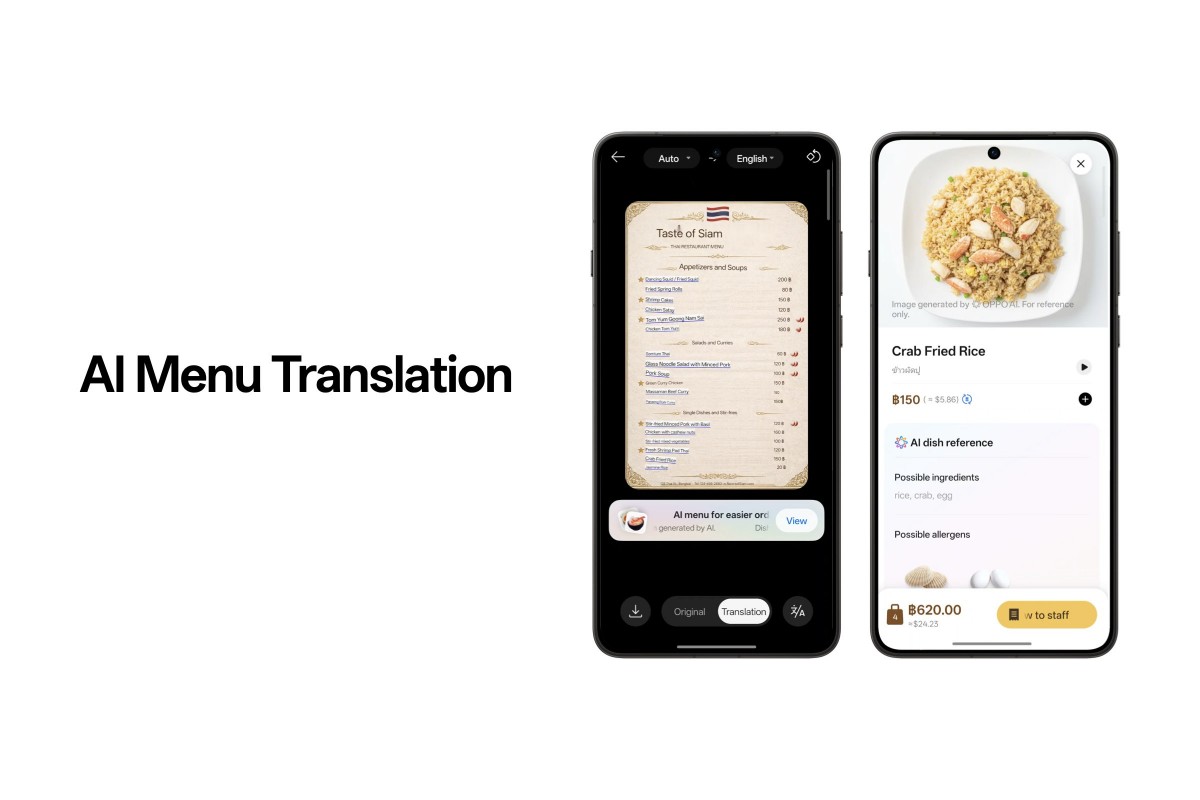
Next up we have AI Menu Translation, which will be your AI-powered dining companion while traveling, since it helps you better understand what you’re ordering at a restaurant by translating the menu. It also identifies key ingredients and generates visual references of the dish, letting you see what it looks like before you order. It even converts the prices into your preferred currency.
The new AI Email Brief delivers a personalized summary each morning, organizing key emails from the past 24 hours. It categorizes important meetings and to-dos, and lets you add them to your calendar with a single tap.
ColorOS 16 also has a new Live Space which lets you easily switch between capsule view and stacked notifications on your lock screen with simple gestures. This keeps your wallpaper clean and unobstructed while also making it easy to check updates at a glance.
Oppo is working with Google to enable AirDrop support in Quick Share on the Find X9 Ultra, but it’s not clear if this will be available at launch or later. We’ll let you know when we find out more.