
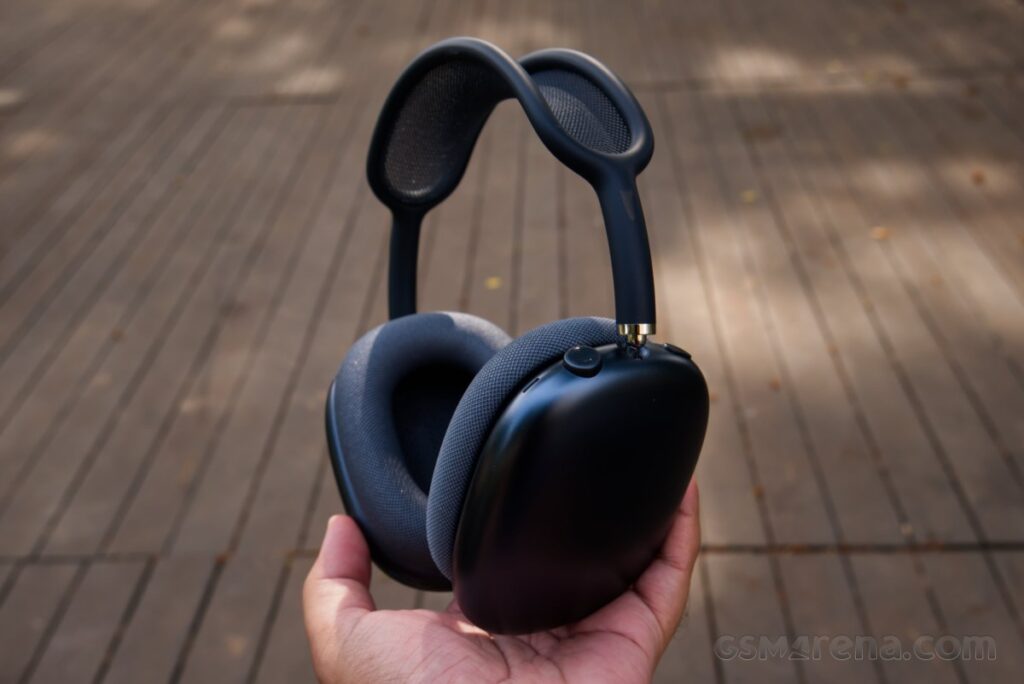
The AirPods Max are the only full-sized headphones Apple has ever made. It was certainly a surprise when the original model first dropped back in 2020, still bearing the AirPods name despite not being particularly pod-like. At $549, they were also expensive, even compared to the other premium wireless headphones on the market. And then they just sat there without receiving many updates, with the 2024 iteration only introducing a USB-C port and new colors.
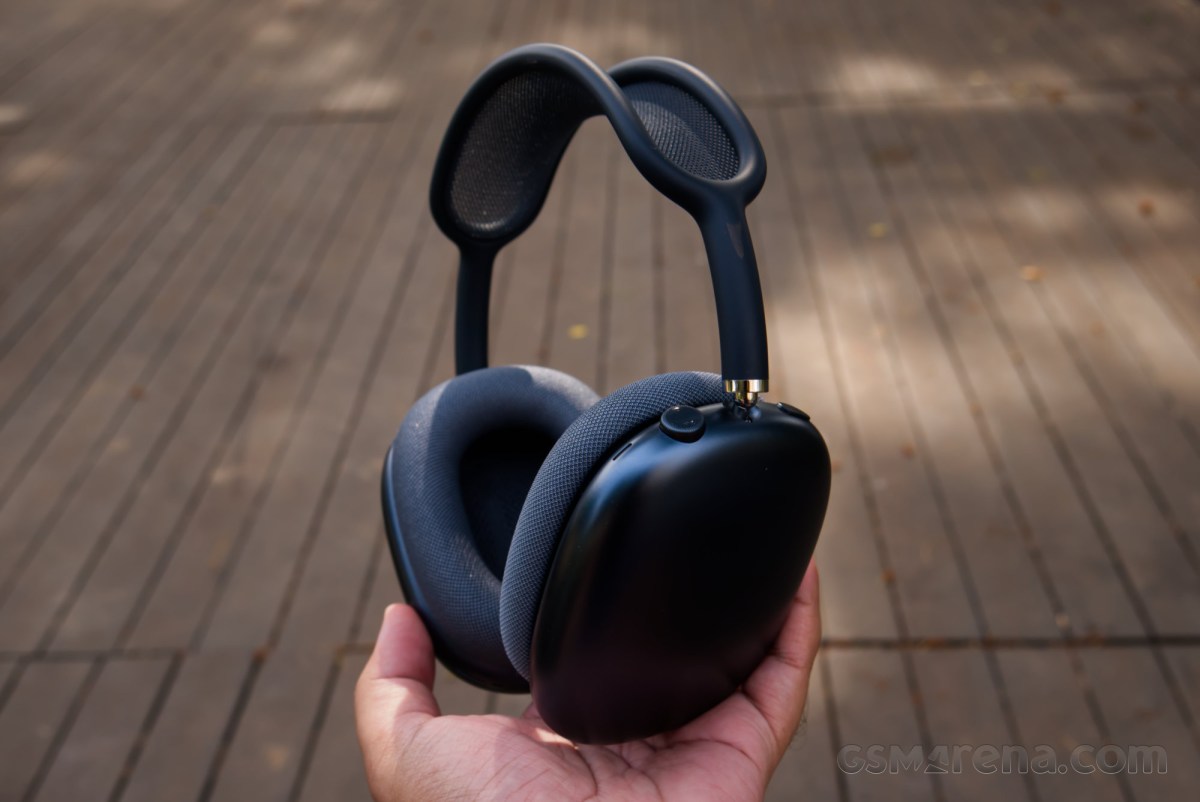

Six years from that original release, Apple has finally launched the AirPods Max 2. At first, second, or maybe even a third glance, these might seem like the headphones they are replacing, and unfortunately, in many ways, they are. However, Apple is also promising advancements in the form of improved active noise cancellation, audio quality, and a few other features thanks to the inclusion of the updated Apple H2 processor.
But is that enough, especially considering these are still $549 headphones? Well, it’s time to find out.
Design
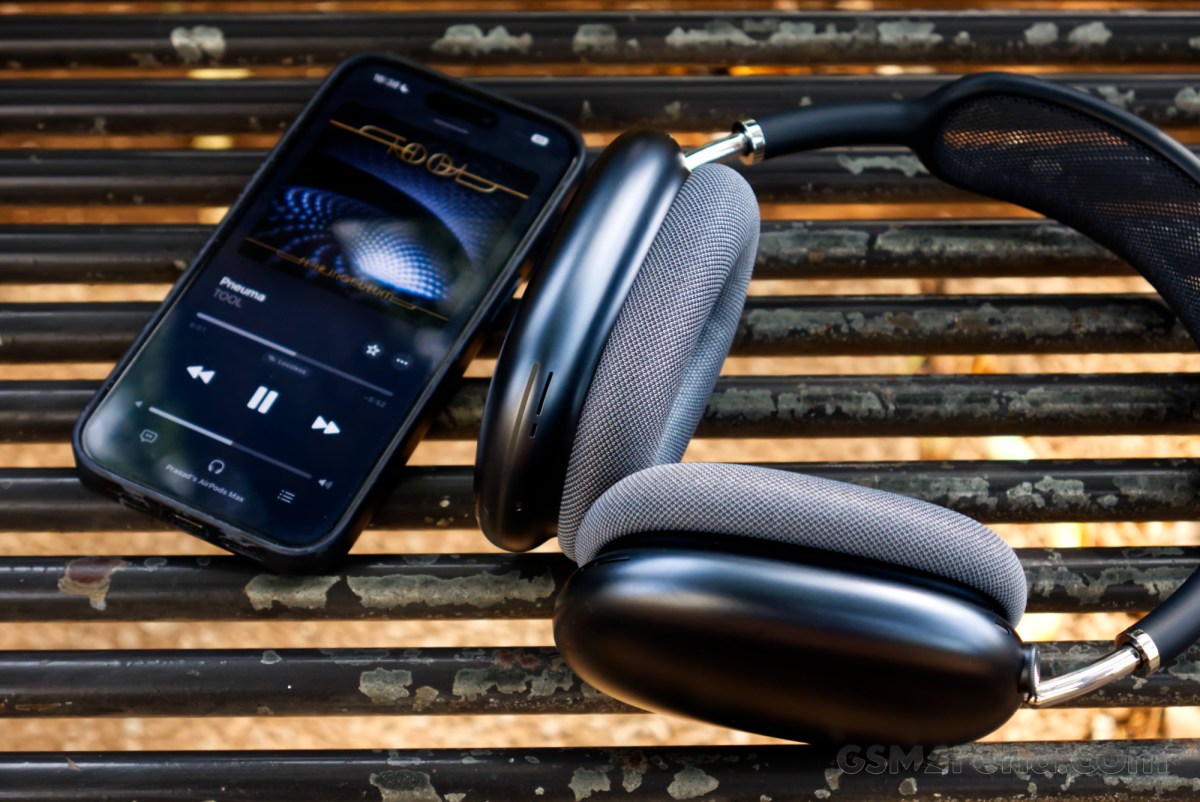
The AirPods Max 2 design is identical to the original 2020 model. The 2024 model (let’s call it AirPods Max 1.5) brought with it new colors, which have been carried over to the AirPods Max 2. This means there is no way to visually identify the AirPods Max 2 from the model you could have purchased two years ago.
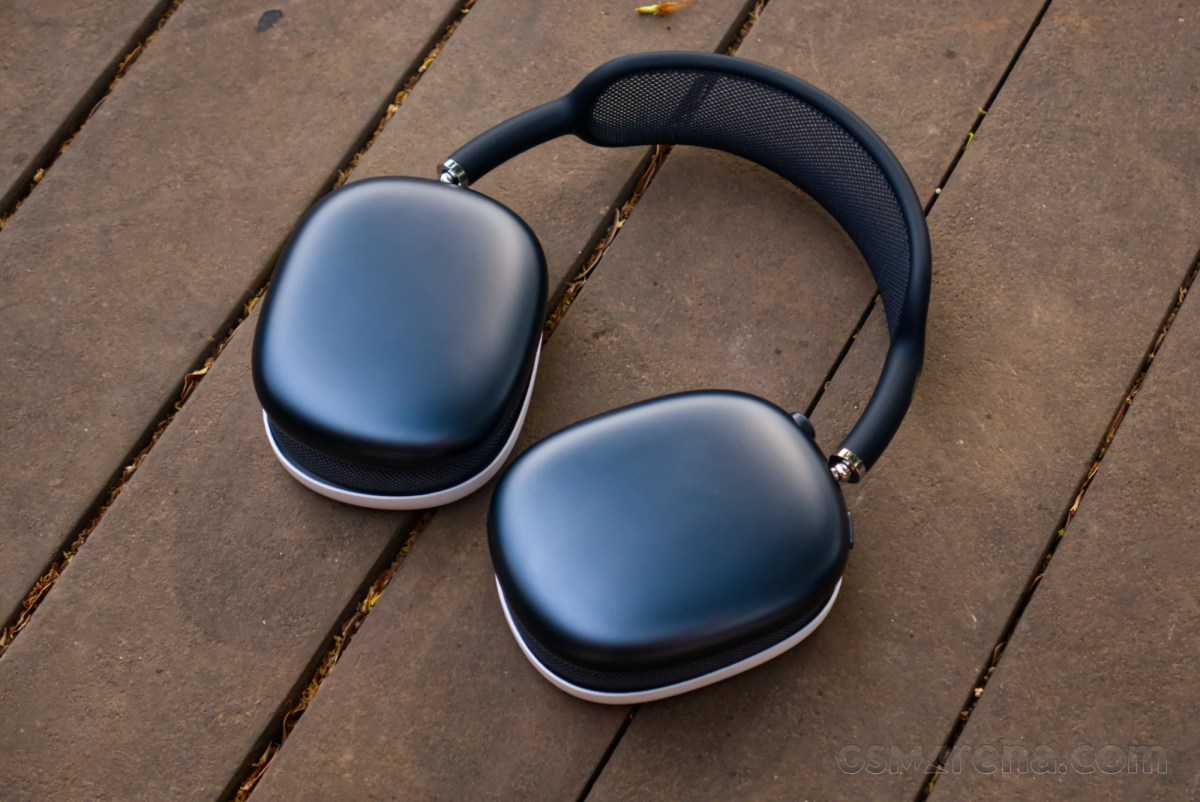
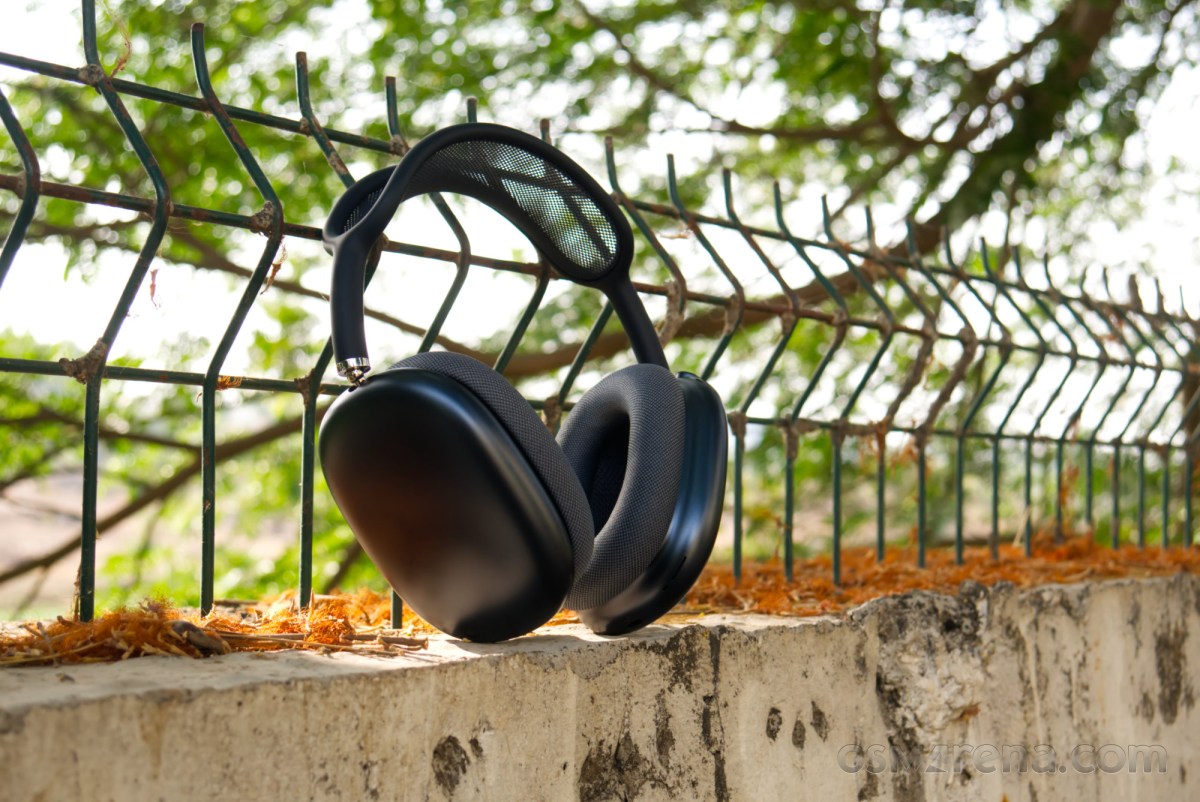
Aesthetically, these are some of the most handsome headphones money can buy. Apple’s designers have achieved a timelessness here that is difficult to match in the consumer electronics space. It fuses classic, identifiable lines and shapes from aviation headsets while maintaining a resemblance to Apple’s industrial design sensibilities, along with some futuristic design elements. This creates a visual profile that is suspended in time, echoing the past, present, and future of headphone aesthetics simultaneously. It’s no wonder the company feels no real compulsion to update it, as it would be difficult to come up with something better.
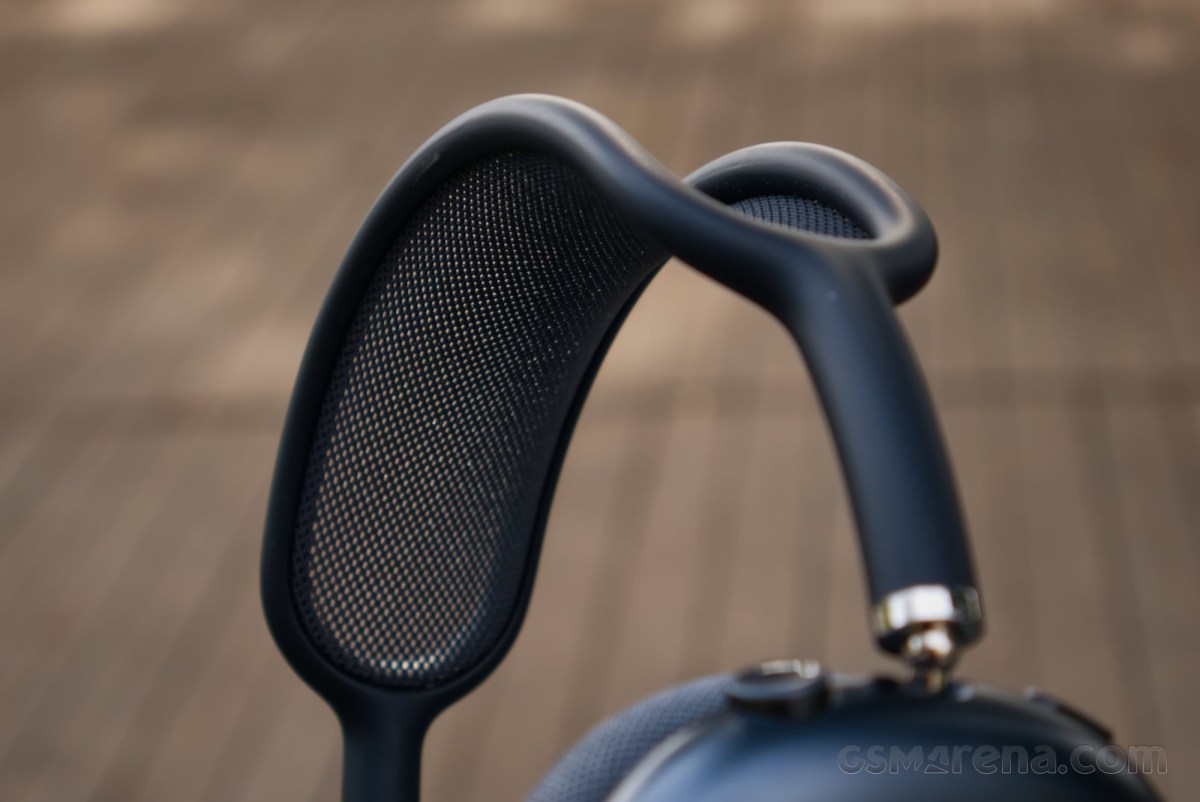
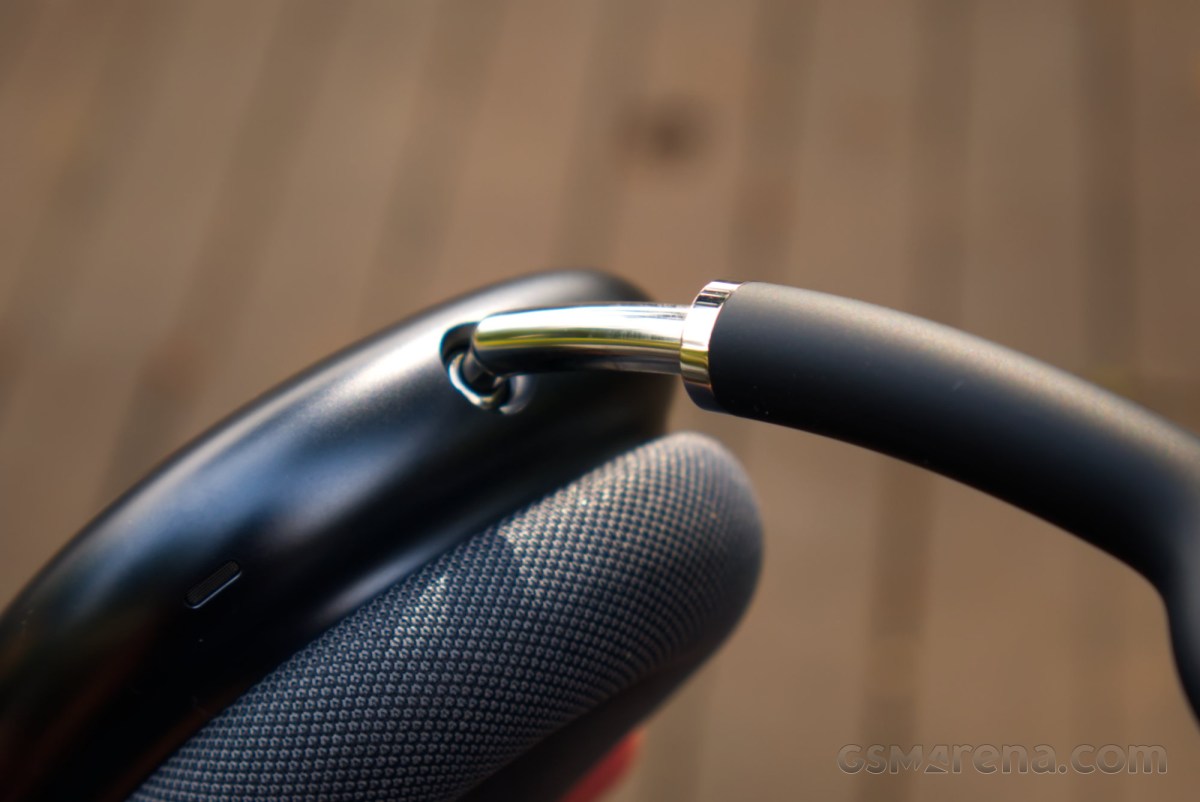
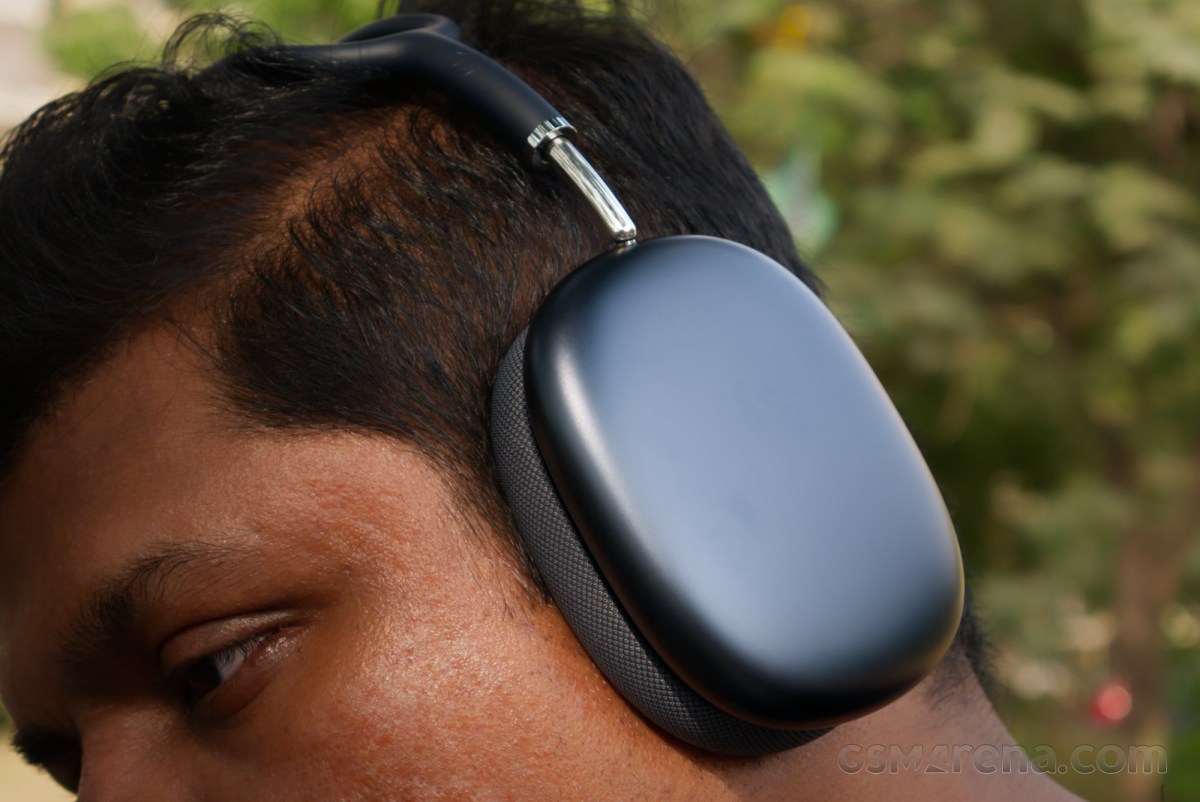
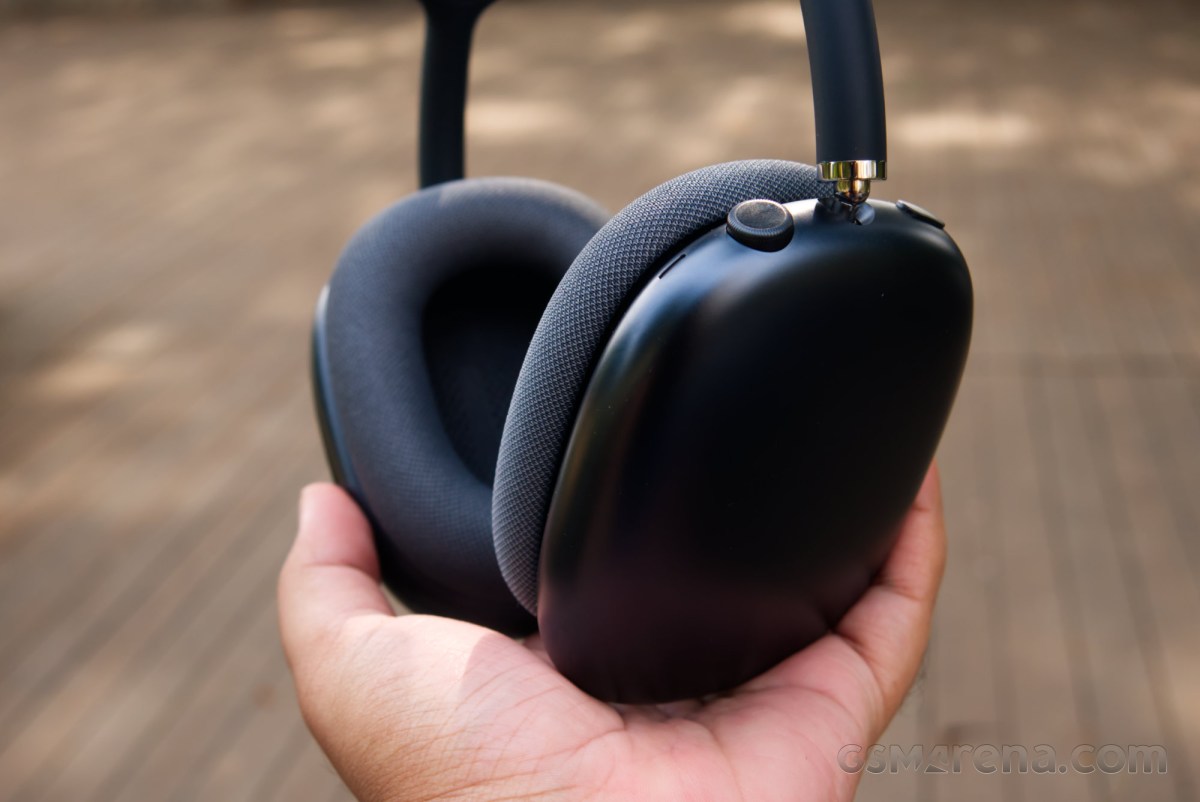
Looking closer at some of the elements reveals a lot of finer detailing. The headband uses a cloth mesh that is suspended in a downward curve, but rather than hanging loosely, it’s taut, by means of what I assume is pure witchcraft. Extending the headband exposes beautifully polished metal yokes that maintain a visually delicate but otherwise sturdy contact with the ear cups. The ear pads are magnetically attached and come off with minimal effort. The antennas are hidden on the bottom of the ear cups, so they don’t spoil the aesthetics. The digital crown and the listening mode button mirror the design of their counterparts on other Apple products.
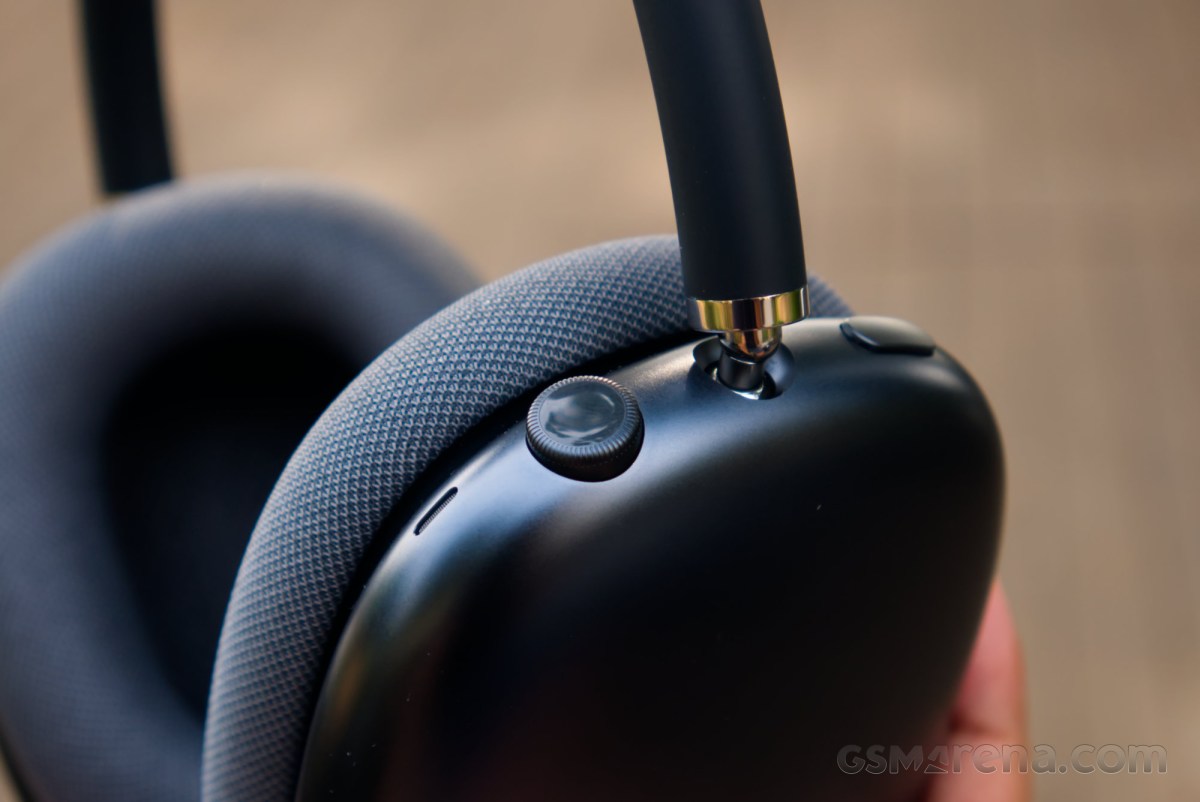
The headphones are also perfectly symmetrical in design, with the only mismatch coming from the physical controls and the USB port on the right ear cup. Every other component echoes the design of its counterpart on the other side, to the point where you’d be forgiven for wearing these headphones backwards. In fact, those dastardly symmetry-breaking controls are the only way you can tell one side from the other, especially in the dark.
However, while the AirPods Max 2 get full marks for their aesthetics, there are some fundamental drawbacks to their design. For starters, there is a good reason why most headphones today aren’t symmetrical. You may have noticed that our ears are angled from the vertical plane of our heads, and most modern headphones today follow that alignment instead of trying to force an angled peg through a straight hole.
The second issue is with the level of adjustability of the headband, which is limited. You can only extend them so much before they bottom out, which would leave out a lot of folks with big heads. I don’t even have a particularly large head, and I still found myself wanting the headband to be longer. In fact, there are a fair few issues with the ergonomics of these headphones, but more on that later.
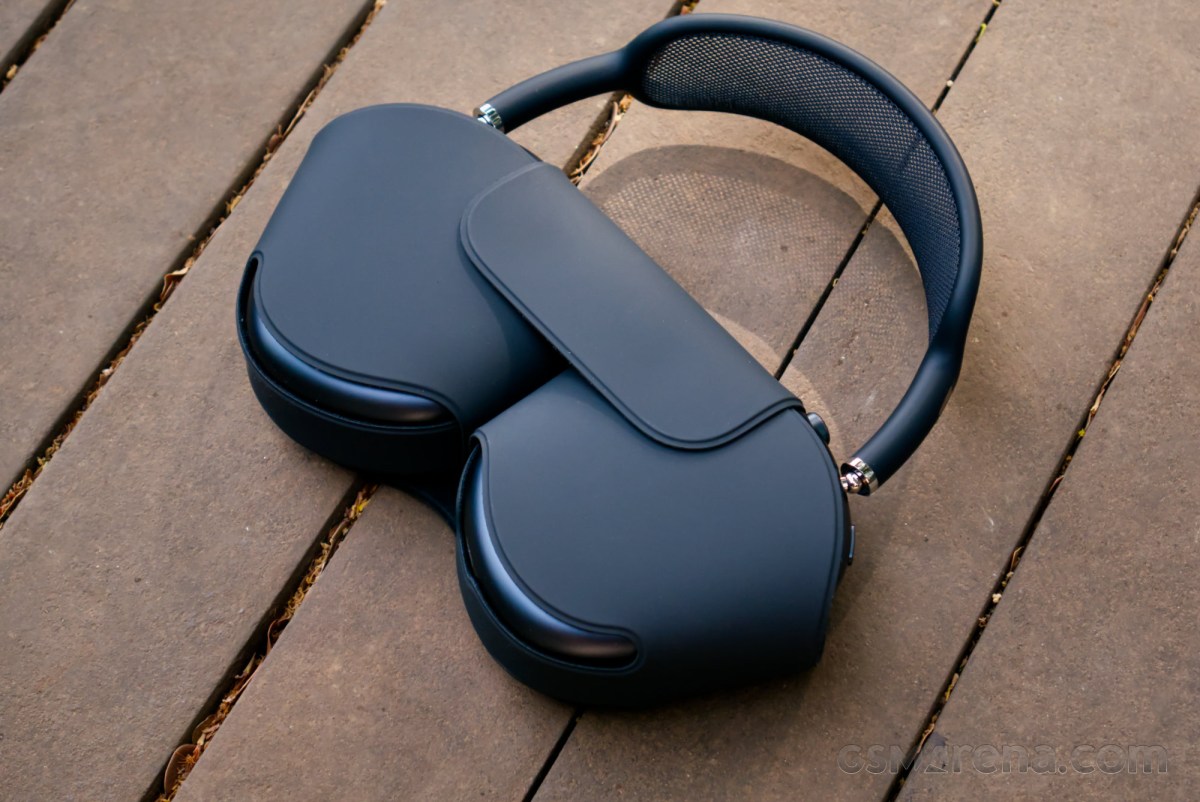
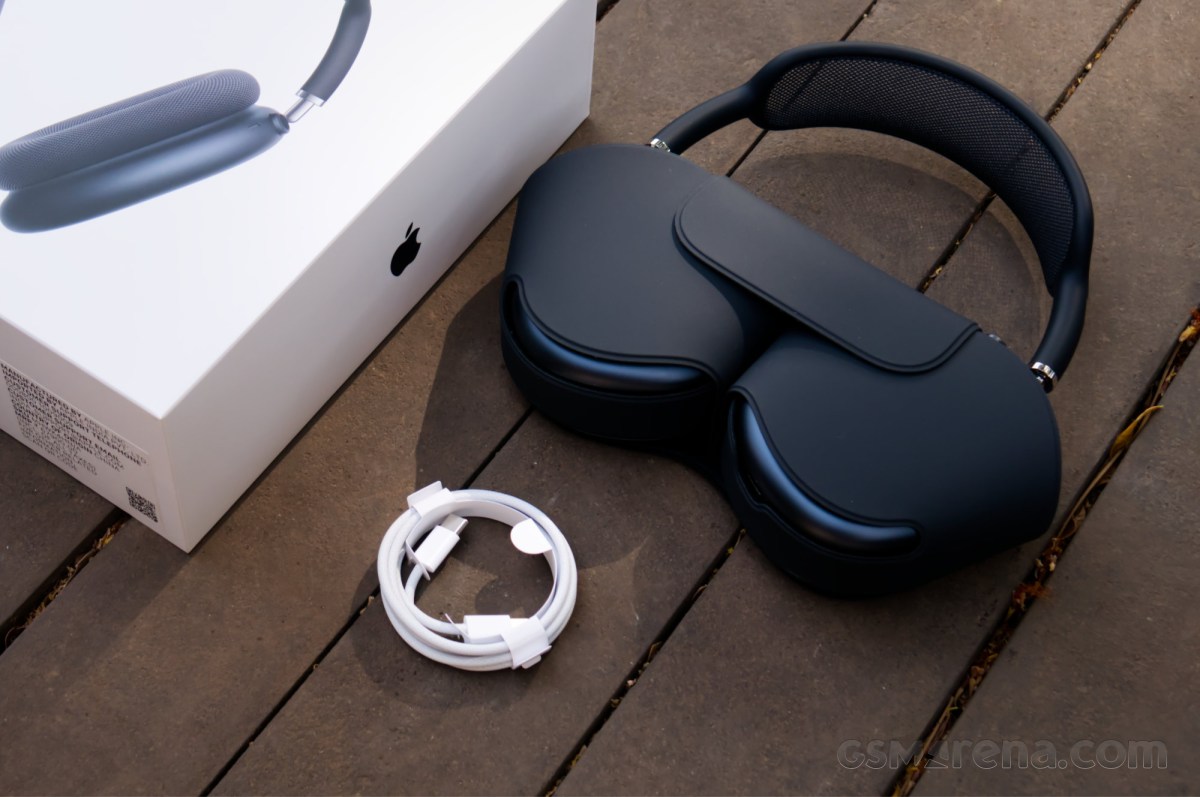
For now, let us discuss the Smart Case. The AirPods Max Smart Case has been the butt of many jokes since the product first launched, and it remains unchanged to this day. For some reason, it covers only the ear cups, and Apple also decided that placing the AirPods Max inside this case is the only way to truly power them off.
Here’s my hot take: I don’t think the AirPods Max 2 Smart Case is that bad. In fact, I don’t think it’s bad at all. It takes considerably less space than a typical case, and is easier to stow away when not in use. The process of taking the headphones in and out of it is very easy, which meant I ended up using this case a lot more than a typical headphone case that I would only use while traveling. My only complaint with it is that while you can charge the headphones while they are in the case, the cutout sometimes doesn’t align properly with the port, so you have to faff around a bit before you can plug the cable in.
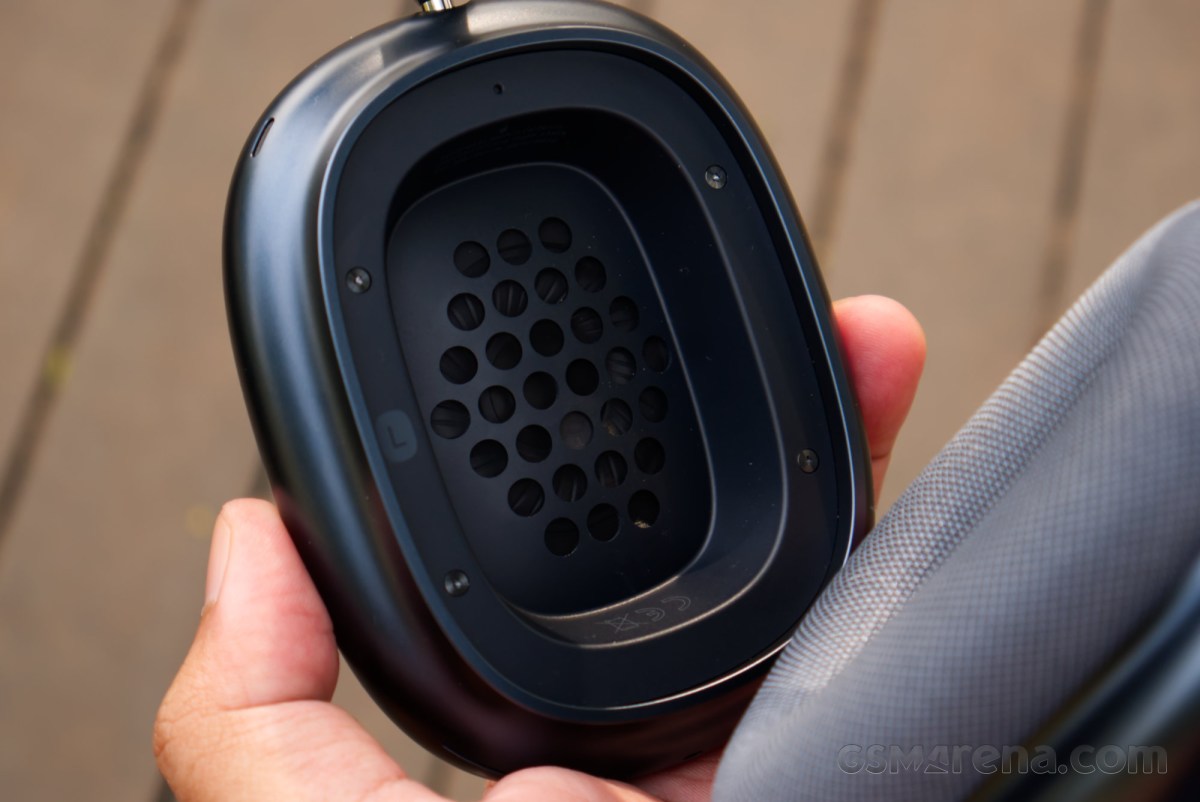
I would like to finish off the design section by discussing the build quality. The AirPods Max 2 are a phenomenally well-built set of headphones. The finish of the aluminum ear cups, the fluidity of the joints, the tactility of the moving dials and switches, the seamlessly hidden joints and stitches all ooze quality. That $549 you spent is almost on full display here, and the AirPods Max 2 look and feel head and shoulders above their rivals in this department.
With that said, there are a couple of concerns regarding the construction of these headphones. The ear cups are known to accumulate condensation on the inside around the speaker grilles, and people have also reported their headband fabric sagging after a while. I didn’t notice any condensation during my use, nor am I in the type of climate to experience something like that. As for the sagging, that is something only time will tell, and not something that can be discovered during the review period.
Comfort
Now for the all-important topic of comfort, and the AirPods Max 2 have some glaring issues that have remained unchanged from the previous generations.
First of all, at 386g, these headphones are heavy. You can stack two iPhone 17 on top of one another, and they still wouldn’t weigh as much as one AirPods Max 2. Most of the weight is in the ear cups, so the headphones don’t feel top-heavy as such. Still, when you have that much weight placed on your head, it introduces additional inertia to your neck movements. You will tilt your neck back for some reason and find your head just flops backward more aggressively than usual. And the AirPods Max 2 are deceptively compact for their weight, so it doesn’t feel like you have a lot of weight hanging around your head, but rather your head itself suddenly weighing a lot more.
In order to anchor that weight securely to your head, the AirPods Max 2 clasp more aggressively than usual around your ears. The headband has significant clamping force, especially when the headphones are new, and the good thing about it is that the headphones aren’t going anywhere once you put them on. The bad thing is that you are always aware of the headphones being around your head, and the feeling can get tiring after a while.
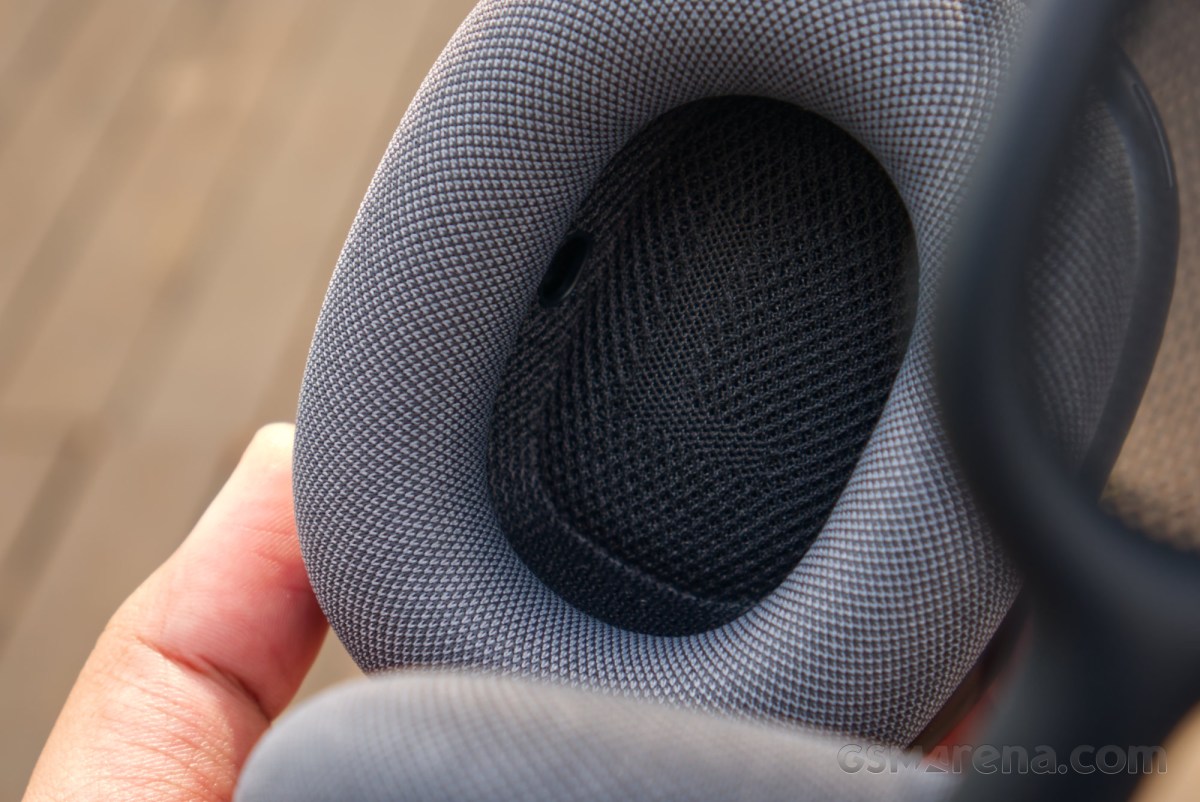
The ear cups on the AirPods Max 2 have the same coarse fabric texture as before. I wasn’t fond of how they felt around my ears initially, and also the sound they make when they rub against your skin, especially if you have facial hair. However, I did get over that pretty quickly, and it doesn’t bother me now as much as I thought it would. The great thing about these cups is just how easy it is to remove and reattach them, and spares are available readily from Apple itself as well as several third-party sources.
Another annoyance with the AirPods Max 2 is the adjustability of the headband. As mentioned before, the ear cups can only be extended in a somewhat limited fashion. This not only limits the size of the heads that can wear these headphones but also makes it incredibly uncomfortable to have them around your neck when you’re not actively using them. Not only did it severely restrict my neck movement, but I’m also not the type to enjoy being slowly choked in this manner.
I would like to say at this point that I do not find the AirPods Max 2 unusable by any means, and I did end up spending quite a bit of time with them once I got used to how they feel. However, they do not leave a positive impression on you the first few times you use them, and some people may never get used to how much they weigh or feel around your ears. You also probably can’t even wear them at all if your head is bigger than mine. These are some aspects that Apple should have worked on in the second-generation model, and simply making them 30% lighter would have gone a long way in making them more approachable.
Software and features
Like the other AirPods models, the AirPods Max 2 are designed to be used with all Apple devices. While you can use them with Windows, Linux, or Android products, you lose out on a significant portion of their functionality, and at that point, you should just consider buying something else. All testing here was done with an iPhone 15 Pro and an M4 Mac mini.
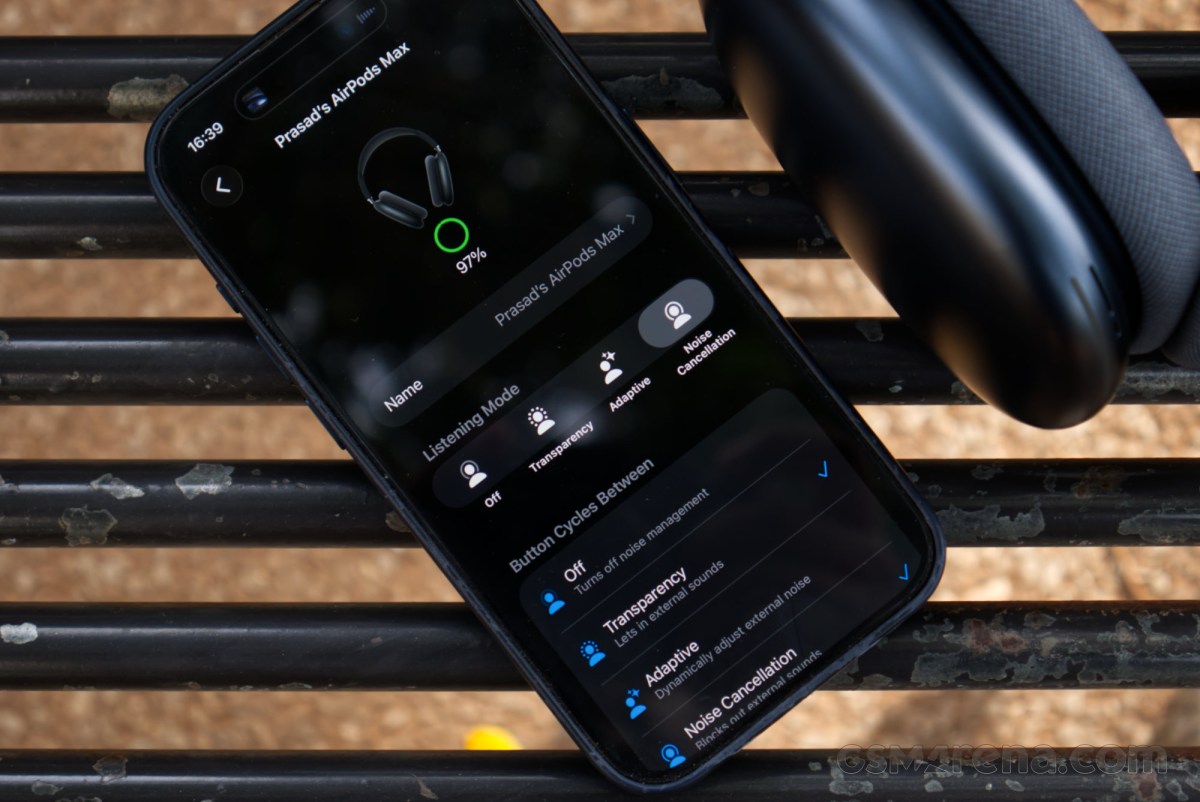
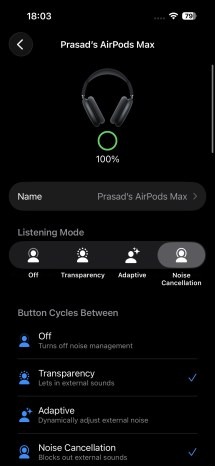
The AirPods Max 2 features can be accessed through dedicated menus that appear when you pair the headphones with a compatible Apple device. Here, you can adjust things like the ANC modes and features, head gestures, Spatial Audio, Find My, and more. You can also see the firmware version here, but you still can’t manually force an update, and just have to wait for the headphones to do it themselves whenever they feel like it. For reference, all testing here was done with the 8E251 firmware, which was the latest at the time of writing.
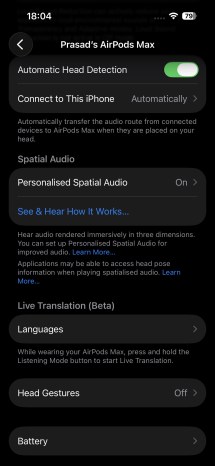
iOS settings

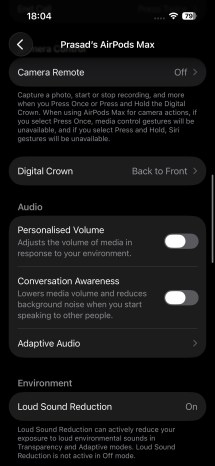
You could say that the AirPods Max 2 have an adequate number of features, but it is strange to see that they still lag behind the AirPods Pro 3, despite the bump up to the latest generation Apple H1 chip. You do get stuff like Adaptive Audio, loud sound reduction, Live Translation, voice isolation, etc., that you didn’t have before.
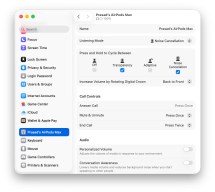
macOS settings

But the AirPods Pro 3 still have the upper hand, with features such as Hearing Test, Hearing Aid with automatic conversion boost, and hearing protection. The latest model also got heart rate monitoring, which does make more sense on the AirPods Pro 3, but considering the number of people who use the AirPods Max in the gym anyway, it probably would not have gone amiss here.
Performance
Audio quality
The AirPods Max 2 use what Apple calls ‘Apple-designed dynamic drivers’ of unspecified diameter that have been carried over from previous generation models, and a ‘custom high dynamic range amplifier’ that is new for this generation. The headphones support SBC and AAC codecs over Bluetooth 5.3, and you can also connect them in wired mode using a USB-C to USB-C cable or Apple’s USB-C to 3.5mm audio cable that has a built-in DAC/ADC.
After using the AirPods Max 2 every day for over a week, my impressions of their audio quality are mostly positive. However, there are a couple of drawbacks that hold them back from being really good.
The overall frequency response is V-shaped, which is quite common these days, but it’s the way Apple has gone about it that sets these headphones apart from their competition.
Starting with the bass, the AirPods Max 2 choose to place most of their emphasis in the sub-bass region. The advantage of doing things this way is that you avoid the excess bass energy from spilling into the lower midrange and reduce the overall bloated feeling that may come from a wide-band bass boost. Most music doesn’t really have a ton of sub-bass information, so quite often the AirPods Max 2 don’t sound especially bass-heavy.
However, it’s when the source does have a lot of sub-bass energy that you realize that the AirPods Max 2 may have overcooked in this area. There is a lot of sub-bass coming from these drivers, which imparts a lot of thump and rumble to the lowest notes, but can also sound like a runaway subwoofer. This is especially noticeable when listening to Spatial Audio content that includes a dedicated low-frequency channel, and the AirPods Max 2 really make a meal out of it. Watching the movie ‘F1’ on Apple TV resulted in a lot of rumbling and thumping notes coming my way that got a bit distracting after a point.
The mids and treble are a mixed bag, and this is where we need to talk about the elephant in the room with the AirPods Max 2 sound, which is a rather substantial dip in the upper-mid and lower-treble regions. Much like with the AirPods Max, the AirPods Max 2 sound dips audibly past 3,000Hz, and gets real quiet around 5,500Hz, something you can hear very clearly if you listen to a logarithmic frequency sweep tone. It then recovers past that, and then gets quite high, which then results in the other half of the V-shaped response.
Starting with the lower mids, the AirPods Max 2 perform quite well. Most voices and instruments in this region of the audible spectrum come across quite well, and Apple’s decision not to overwhelm the listener with a lot of high-bass energy pays dividends here. However, once we get into that upper-midrange/lower-treble transition phase, the sound can get notably quiet. This results in a fuzzier, murkier presentation at times.
This isn’t always noticeable, and really depends on what you’re listening to. Some content simply doesn’t have a lot of information in that region, or it’s something that you don’t need to focus a lot of attention on. But content that does utilize this region has parts that sound strangely quiet, which just makes you want to increase the volume to unsafe levels.
Past that point, the sound gets noticeably spicy. Apple has chosen to have the upper-treble region elevated to possibly make up for the lower-treble, but also to perhaps minor details in the sound that can improve imaging and soundstaging performance. Unfortunately, it often just adds to sibilance and hiss in the music, and can make some tracks uncomfortably shrill at times.
Frequency response aside, there is not much else to talk about the AirPods Max 2 sound. The detail reproduction is average, and the imaging is unconvincing. The sound mostly just feels like it’s located within the ear cups rather than being around you, unless you are specifically listening to Spatial Audio content.
Like the AirPods Pro 3, the AirPods Max 2 support Adaptive Audio, which adjusts the audio to your specific fit and ears. It monitors the sound in real-time using the internal microphones and can make up for any leaks that might be present in the ear cups due to improper fit or glasses. This ensures you are always hearing the intended sound from the headphones and reduces consistency issues that typically plague headphones.
The AirPods Max 2 also support Adaptive EQ, which automatically boosts certain frequencies at lower volumes to compensate for the inconsistencies in our hearing at different volume levels. Things like bass and treble don’t sound as loud as lower volumes, even if they do not change in relative amplitude, and to make up for that, these headphones can boost them. This also means if you saw some frequency response graph of these headphones (or the AirPods Pro 3, for that matter), then it’s not that relevant, as those are usually done at maximum volume, and the sound can be quite different at volumes people typically listen at.
Getting back to the overall impressions of the sound quality, I do find it to be good, all things considered. It is certainly better than what the standard has been for the category over the past decade or so, as low as that bar is. Having said that, Apple itself delivers better audio quality on the AirPods Pro 3, and this becomes yet another thing that the smaller, cheaper earbuds do better than this flagship model.
Microphone
Much like the AirPods Pro 3, the AirPods Max 2 have a very impressive microphone performance. Testing in a quiet environment, the audio captured through the microphone is above and beyond what you will find on any other Bluetooth device, with sound rivaling that from wired microphones. This is the clearest way to make voice calls outside of using dedicated wired headsets.
When testing in a noisy environment, the AirPods Max 2 choose to prioritize audio quality over making the background noise quieter. You can still hear some of the background noise, especially when the person is speaking, but the voice quality itself remains very good. This is, once again, similar to how the AirPods Pro 3 work.
Noise cancellation
The AirPods Max 2 get updated active noise cancellation over their predecessors thanks to the inclusion of the Apple H2 chip. Unfortunately, I do not have the H1 models on hand here to compare, so this will have to be an isolated analysis.
The AirPods Max 2 have very good noise cancellation performance. Right off the bat, the ear pad cushions absorb a lot of ambient noise, even before the electronics kick in. This also means that you can just keep the ANC off and still get reasonable isolation from your surroundings. The ear pads also don’t leak much sound, so no one around you will be privy to what you’re listening to.
The ANC does incredibly well with household noises. Sounds from things like fans, air conditioners, the TV playing in the living room, and even doorbells are suppressed to such a degree that you genuinely have no idea what’s going on around you anymore. A similar thing can happen outdoors, with only the loudest of sounds getting in, which makes them quite dangerous to walk around in if you aren’t actively paying attention.
The overall ANC performance of the AirPods Max 2 is similar to that of the AirPods Pro 3. I found this to be surprising, as full-sized headphones usually do better, considering they can block your internal as well as your entire external ear, while in-ears can only block your ear canal. It just goes to show how well the ANC works on the AirPods Pro 3. I have come to have an incredible amount of respect for those earbuds since I reviewed them last year after a handful of long international flights because of just how utterly brilliant their ANC is on planes. I have no doubt the AirPods Max 2 will perform just as well.
A final point regarding the ANC on the AirPods Max 2 is that it can get uncomfortable at times, especially when you are using it indoors in already quiet environments. This was noticeable on the AirPods Pro 3 as well to some extent, but it can be quite oppressive on the AirPods Max 2. The pressure of the ear cups combined with the strong ANC effect can really feel like your eardrums are under constant duress. This effect is reduced when you have something playing, but the quiet moments in between can be quite disconcerting. Interestingly enough, the AirPods Max 2 readily display an option to disable the ANC entirely in the AirPods menu on the phone, whereas on the AirPods Pro 3, the option is hidden by default and needs to be enabled through a separate setting.
Finally, there’s the transparency mode. I found this mode on the AirPods Max 2 to be not as good as on the AirPods Pro 3. The transparency mode on the AirPods Max 2 is so exceptional that there is almost no difference between wearing and not wearing the earbuds. You can have only one earbud in your ear, and you hear more or less the same as with your other fully open ear.
On the AirPods Max 2, the sound feels artificially boosted and somewhat unnatural. There is also more buffeting noise on the AirPods Max 2 from the wind, even from indoor sources like fans and air conditioners, which was also not much of a problem on the AirPods Pro 3. The transparency mode on the AirPods Max 2 still gets the job done, but I found myself only turning it on in select circumstances and not just leaving it on, like on the AirPods Pro 3.
Like the AirPods Pro 3, the AirPods Max 2 also get an Adaptive mode, which acts as a halfway point between transparency and ANC modes, letting some ambient noise in while also blocking or turning down really loud sounds. It works really well here as well, and maybe a better alternative to the transparency mode in certain scenarios, such as on planes where you may need to hear what the pilot is mumbling on the intercom, but not so much the engines.
Connectivity
In the wireless mode, the AirPods Max 2 have exceptional connectivity performance. The connection was rock-solid during testing with nary a fault. One of the amazing things about AirPods is also how well they handover between multiple Apple devices, and the AirPods Max 2 would transition beautifully between my iPhone and Mac whenever I started playing something on one or the other.
I also wanted to test Apple’s much vaunted lossless wired mode. I’m sure most people won’t bother using it at all, but I wanted to see if they should.
Short answer? No. The audio quality does not meaningfully get better at all, which, once again, goes to show the major quality bottlenecks in Bluetooth products are the drivers and audio processing, not the codecs. The latency would be better, but not in a way that matters, as the wireless latency is low enough on these headphones already, and no one is really planning on doing serious gaming with these.
I tested the wired mode with a Mac, an iPhone, a few Android phones, and Windows PCs. The headphones obviously work the best with Macs and iPhones, but they also worked quite well with Windows PCs, wherein moving the digital crown adjusted the volume on the PC, and you can also press the crown or remove the headphones to pause. The functionality was the worst on Android, where the digital crown volume and the phone’s volume were not in sync, and removing the headphones also wouldn’t pause. There was also a persistent loud popping sound, despite testing with multiple phones and cables.
The AirPods Max 2 show up as a 24-bit, 48kHz USB audio device on the connected phone or PC. This is the only bit-depth/sampling rate they can operate at, with nothing higher or lower being supported. This brings Apple’s claims of lossless audio under scrutiny, because if you provide audio that is different in bit-depth or sampling rate, the internal DAC on the headphones will have to do up- or down-sampling. At that point, we are no longer in the realm of losslessness, so you really shouldn’t get much attached to that label.
By the way, the microphone doesn’t work no matter which platform you plug these headphones into, so you can’t use them for voice calls or gaming with voice comms.
Battery life
The AirPods Max 2 have a rated battery life of 20 hours, a rather low number for a full-sized pair of headphones, especially when the competition is doing at least 30 hours.
In my testing, the AirPods Max 2 played for 21 hours and 36 minutes continuously with ANC on a full charge. That’s a bit above the claimed figure, but not enough to meaningfully change anything. This is still relatively low for full-sized headphones, and during my use, I would frequently see the battery low notification.

Apple claims 1.5 hours of listening after a 5-minute charge. I did my usual 10-minute charge for consistency with other tests and got 3 hours and 25 minutes. This, to me, is a good number, as you could be on a long flight, run out of juice, plug it in for a bit, and then get enough power to watch Oppenheimer in its entirety. You can then take a quick 10-minute break and get enough power back to do it all over again (hopefully with a different movie).
Much has been said about the lack of a power button on the AirPods Max 2. It does perplex me a bit as to why it simply does not exist, and why the only way to power down these headphones is to put them inside the Smart Case. However, just to check how much the battery drains when you don’t put the headphones into the case, I left the headphones outside overnight, and after 8 hours, the headphones had lost 1% battery.
I find that acceptable. If I were planning on not using them for longer, I would simply put them inside the case. Even if I didn’t, it doesn’t seem like they drain much power outside the case either, so this really seems like a non-issue. Of course, you can simply forget to put them inside the case and come back to them a month later and find them dead. Any other pair of headphones would still have most of their charge remaining from when you last used them, so it’s not like Apple’s approach here is entirely flawless.
Conclusion
The AirPods Max is a perplexing product. Logically, it doesn’t make much sense to buy these headphones, even while shopping within Apple’s own catalog. The AirPods Pro are better in every meaningful way, and you can buy two pairs of those and still have cash leftover for the price of one pair of AirPods Max 2. Those also get more frequent updates from Apple, while the AirPods Max seem to have mostly been back-burnered. Then there’re obviously competing products from other manufacturers, many of which are also cheaper.
Yet, these headphones are everywhere. You can see them in coffee shops, malls, hotels, airports, and even in the gyms. People clearly cannot get enough of them despite the high price tag, and some may even find that as part of the charm. It seems these headphones scratch a very specific itch, one of buying a full-sized pair of headphones from Apple, regardless of the price. No other product fits that bill, so the AirPods Max win by default.
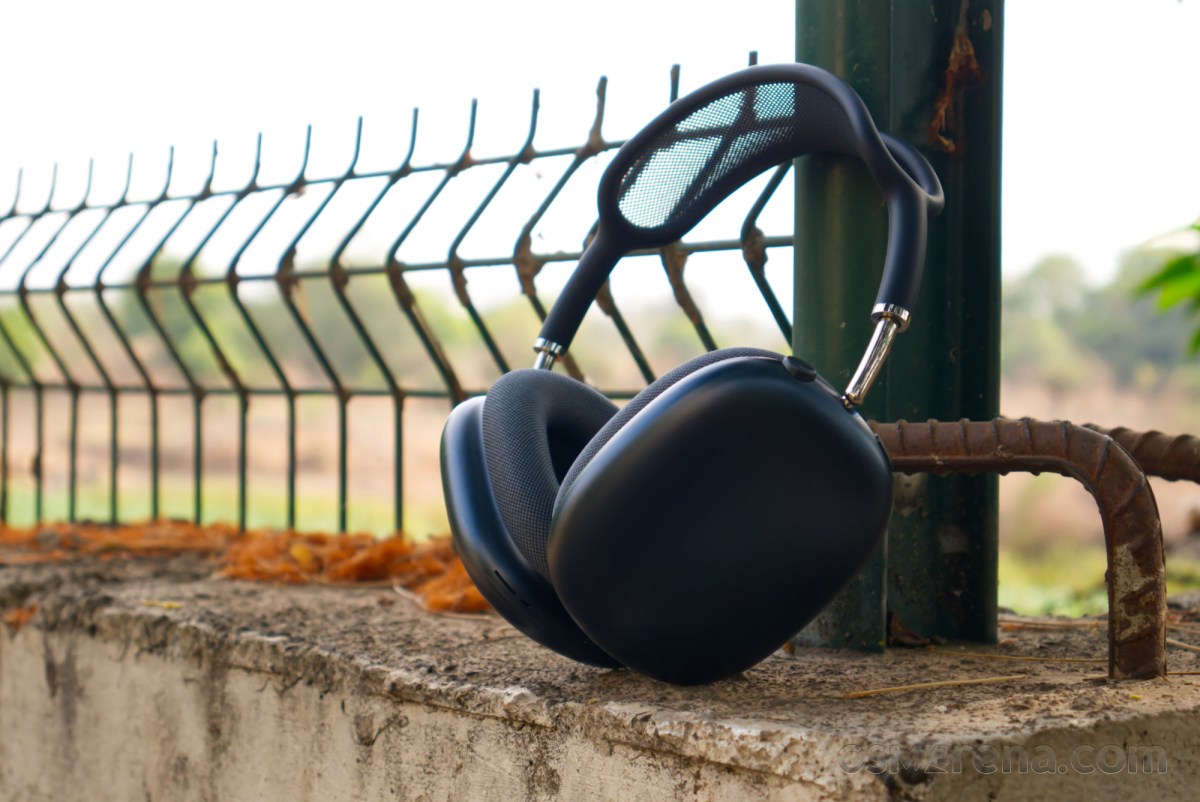
That’s not to say they are not without their merits. The design and construction are top-notch, the sound is good, the integration with Apple’s products is second to none, and the noise cancellation on the latest model is superb.
However, six years on from the launch of the original model, the AirPods Max 2 do very little to move the needle forward and improve upon the flaws of their predecessors, which include things like the weight and comfort, certain reliability concerns, and the middling battery life.
Having said all that, the only real deal-breaker with the AirPods Max 2 is the price. If that’s not really a concern for you, and if these headphones scratch that aforementioned itch, then you should be perfectly happy with them.
Pros
- Superb design and premium construction.
- Good sound quality.
- Great noise cancellation.
- Excellent microphone quality.
- Digital Crown is a joy to use compared to buttons or gestures.
- Impeccable synergy with other Apple products.
- Ear pads are super easy to remove, clean, or replace.
Cons
- Overbearing weight.
- Restrictive headband adjustability.
- No system-wide EQ support.
- Mediocre battery life.
- Couple of reliability issues carried over from previous models.