
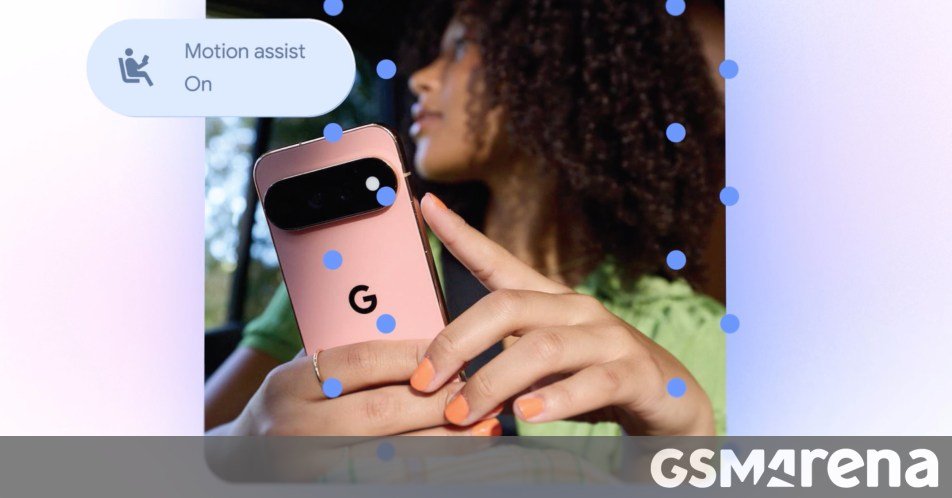
Today Google has announced its September Android drop, which incorporates five new features coming to Android devices left and right.
So let’s dive right in. You will “soon” be able to ask Gemini to remember where you put important items and it will save their location in Google’s Find Hub so you can easily find them later. This is intended for things you don’t put a tracker tag on, like your passport or a spare key. Just tell Gemini where the item is – or maybe add an optional photo. When you need to find it, either ask Gemini for its location or check the remembered items tab in Find Hub. This will be available on Android 16 and later in countries where Gemini and Find Hub are available.
Motion Assist helps reduce motion sickness by using a bubble overlay on the screen, which moves with the vehicle you’re in. Google says it’s “designed to bridge the gap between what your eyes see and the movement of your ride”. You can set this to turn on automatically, add it to Quick Settings, and customize the shape, color, and opacity of the bubbles. This is only coming to devices running Android 17.
Guided vision can help read fine print on a food label, order from a menu in a low-lit restaurant, or identify household objects, and all you need to do is share your camera in Gemini Live. If the camera isn’t lined up, voice feedback will guide you to reframe it, pan across a space, or center an object so you get the answers you want. You can add Guided vision to your Accessibility shortcuts or enable it directly from the TalkBack menu or the Gemini app’s settings. This is coming soon to devices running Android 9 and later in countries where Gemini is available.
You can now share and update Google Keep grocery lists or notes right inside your chat in Google Messages, and all of the participants can view, edit, and add ideas to your note or list. You just need to hit the “+” icon in Google Messages. The rollout of this feature has already started in Google Messages.
Finally, and speaking of Google Messages, you can customize each chat with a different background and color theme. You can pick a wallpaper or a photo and the bubble colors will automatically match, but you can also change them if you want to. This is available now in Google Messages.