

Google Images launched 25 years ago. Back then it was as simple as it gets – type in some words and get matching images as a result. The image search feature has grown considerably more capable over the intervening years and is now getting a major overhaul to celebrate its quarter century anniversary.
Google Images is getting a new home page. You may not see anything different yet – it will roll out over the coming weeks starting with the desktop page in US English. But once it goes live, you will see something that looks and works kind of like Pinterest.




The new Collections feature for Google Images
The page will show you images that the algorithm thinks you will like even before you type anything into the search box. This screen will automatically update with new images in real time.
And here’s where it gets similar to Pinterest – you can add images to collections to save ideas for travel, outfits, furniture and whatever else holds your interest.
Next up is a handy tool for when Google Images can’t find exactly the right image you need – you can just make one using Nano Banana 2. You can just describe the image you want in the search box and it will be generated for you in the AI Overview blurb that appears above most search results. Here’s a demo:

Image generation in search will be available soon in English in all regions that currently support image generation in AI Mode.
By the way, Google’s blog post about these new features contains a fascinating history about Google Images. It starts way back in 2001 and it moves pretty slowly at first, but then things go into overdrive in 2025.
We won’t go into too much detail here – hit the Source link if you want to read the whole story. What we found interesting is the introduction of Similar Images in 2009. This changed how image search worked – instead of using words to look for images, you used images to look for images.
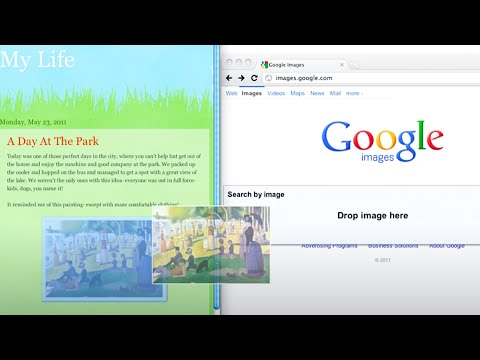
At first, you could only use images that appeared as part of the search results. But then in 2011, Google introduced Search by Image, which allowed you to search using an image you uploaded yourself.
This then grew into Google Lens in 2018 – instead of uploading an image, you could just take a photo and use that to identify objects or translate text. This in turn transformed into Circle to Search, which used whatever is on your phone’s screen to kick off a search. Circle to Search is now on 580 million Android devices. Quite a journey for something that started off as a simple image search, huh?