
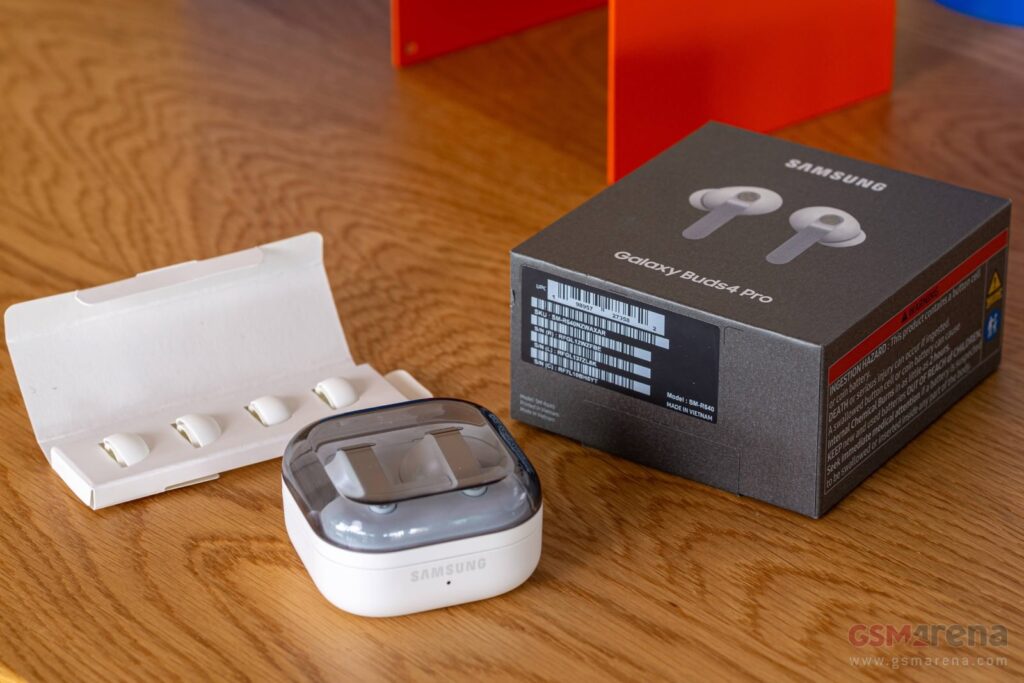
Introduction and unboxing
Samsung owns Harman, which is the parent company of several high-profile audio brands, many of which make headphones. Yet you will find very few Samsung-branded headphones outside of the Galaxy Buds series. The company hasn’t even released over-ear headphones in years – in short, Samsung is betting that the Galaxy TWS buds are the only headphones that most people need.
We have the new Samsung Galaxy Buds4 Pro in our ears right now – they are the best of the three-tier structure that Samsung settled on (FE, vanilla and Pro). We think these are a notable improvement over the previous generation – but let’s not spoil the ending.
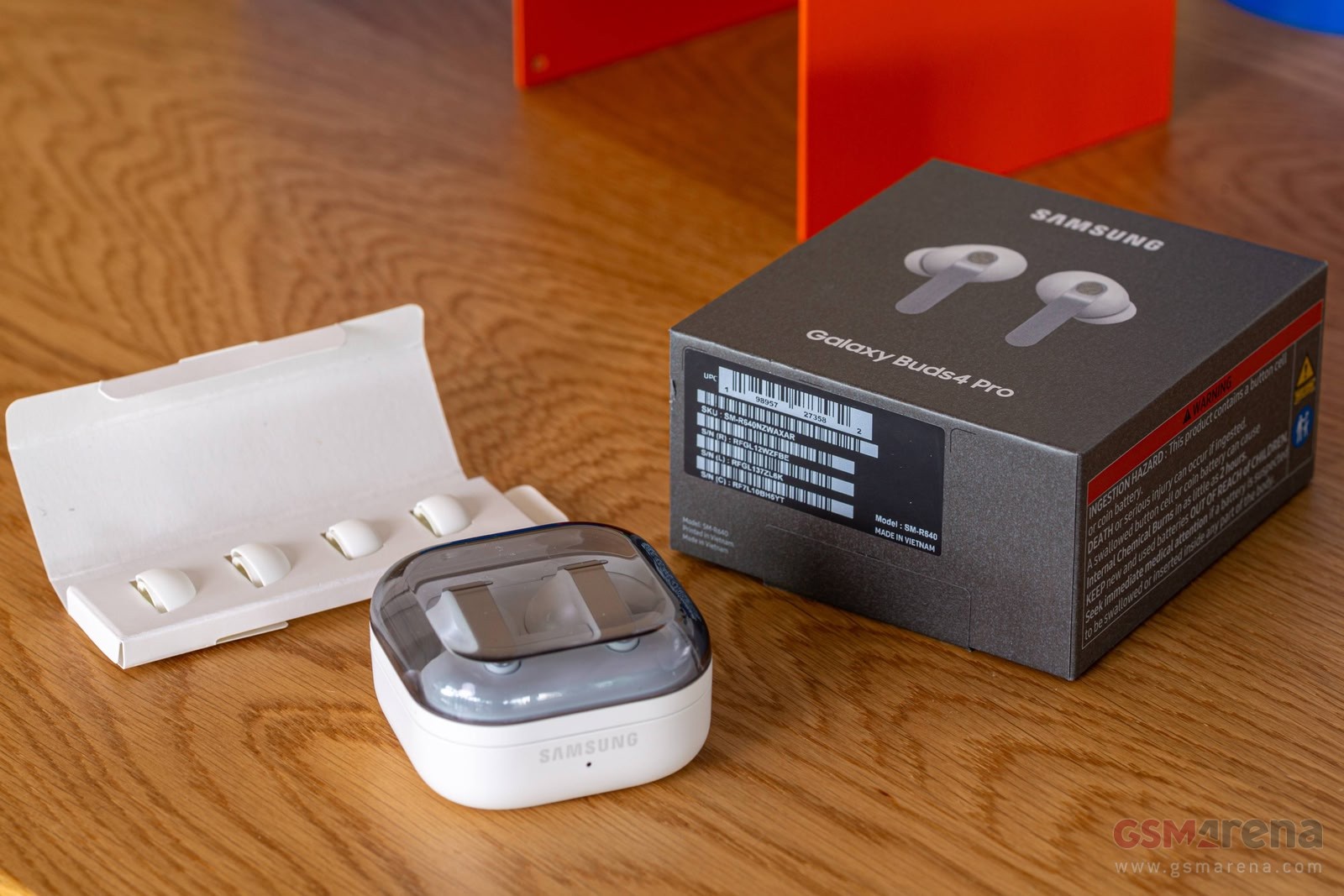
The Samsung Galaxy Buds4 Pro come with just the basics

You can pick up a pair for yourself for $250 / £220 / €250 / ₹23,000. Note that this time around the retail package is as basic as it can get. There are only two extra pairs of tips (S and L sizes to go with the M size that’s already on the buds) and a quick start guide. There is no cable, but you can use the USB-C cable or Qi wireless charger that you use to charge your phone.
Design
Last year’s Galaxy Buds3 Pro had a controversial design that didn’t quite fit their “headphones fit for all” status – the triangular stems and especially the blade lights looked like something that Samsung’s gaming monitor division cooked up. The new design for the Buds4 Pro is much better suited to the average Joe.
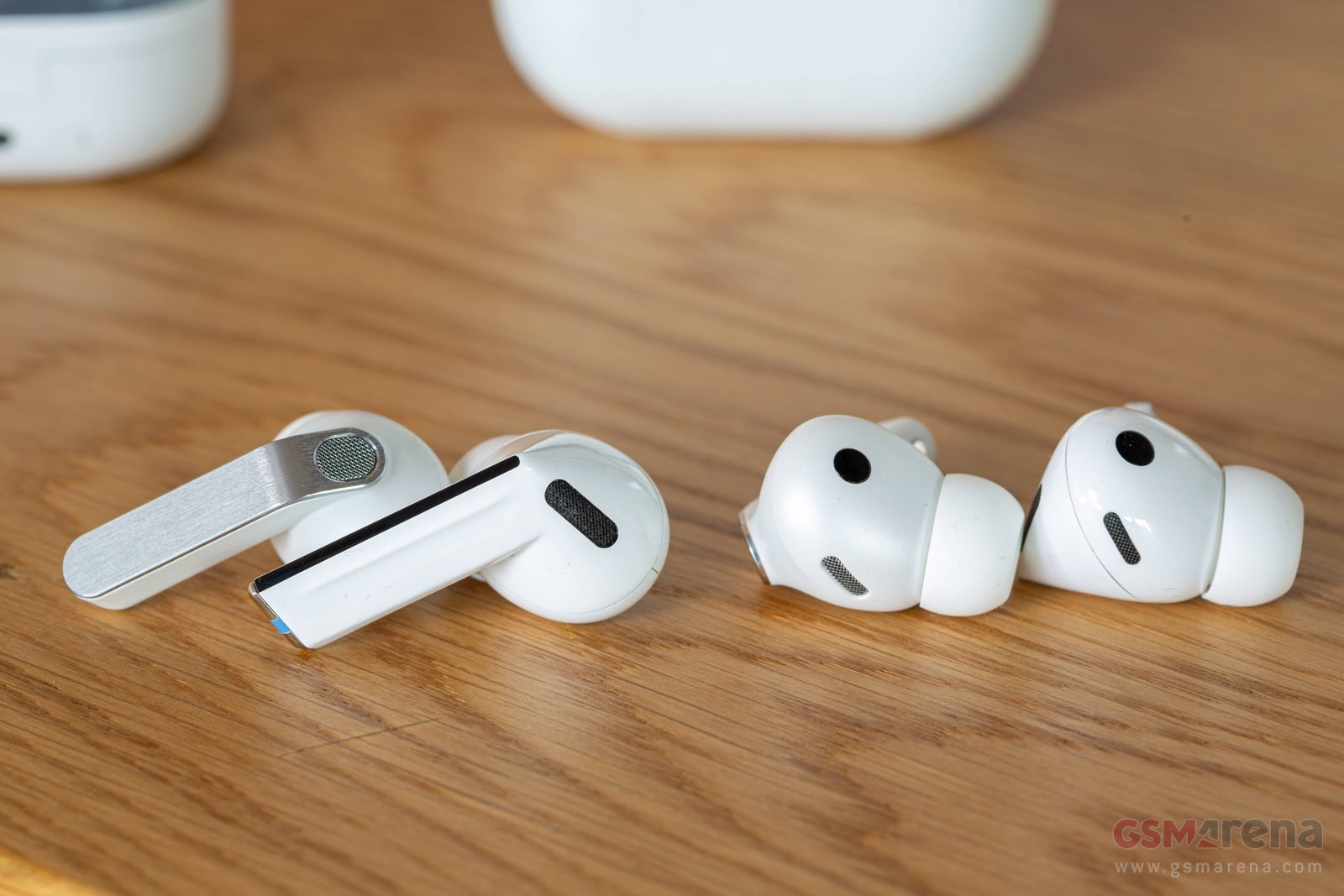
Samsung Galaxy Buds3 Pro (left) and Galaxy Buds4 Pro (right)
The buds still have stems, but they have flat sides with a brushed metal look. They come in Black, White and Pink Gold (the latter is exclusive to Samsung.com). While we wish there were a few more colors, especially a dual-tone design, these pair well enough with every outfit and phone that you may have.
The charging case is back to a square shape – it’s a tad bigger than the Buds2 Pro case, but it is a lot more pocket-friendly than the Buds3 Pro case. Here are the official dimensions. To confirm what the numbers and our eyes were telling us, we put the Buds2 Pro case inside the Buds4 Pro box and it was a loose fit as it left a fraction of a millimeter on each side. The new case is visibly thicker, but still quite manageable.
| Case dimensions | Buds2 Pro | Buds3 Pro | Buds4 Pro |
|---|---|---|---|
| Height | 27.8mm | 48.7mm | 28.3mm |
| Width | 50.0mm | 58.9mm | 51.0mm |
| Depth | 50.2mm | 24.4mm | 51.0mm |
| Weight | 43.4g | 46.5g | 44.3g |
And that’s not the only good news – Samsung went back to the lay-flat design of previous generations. This makes the buds easier to take out of the case and much easier to put them back in. It’s obvious where each bud is supposed to go – with the previous generation it was easy to swap them around (i.e. putting the left bud in the right socket).
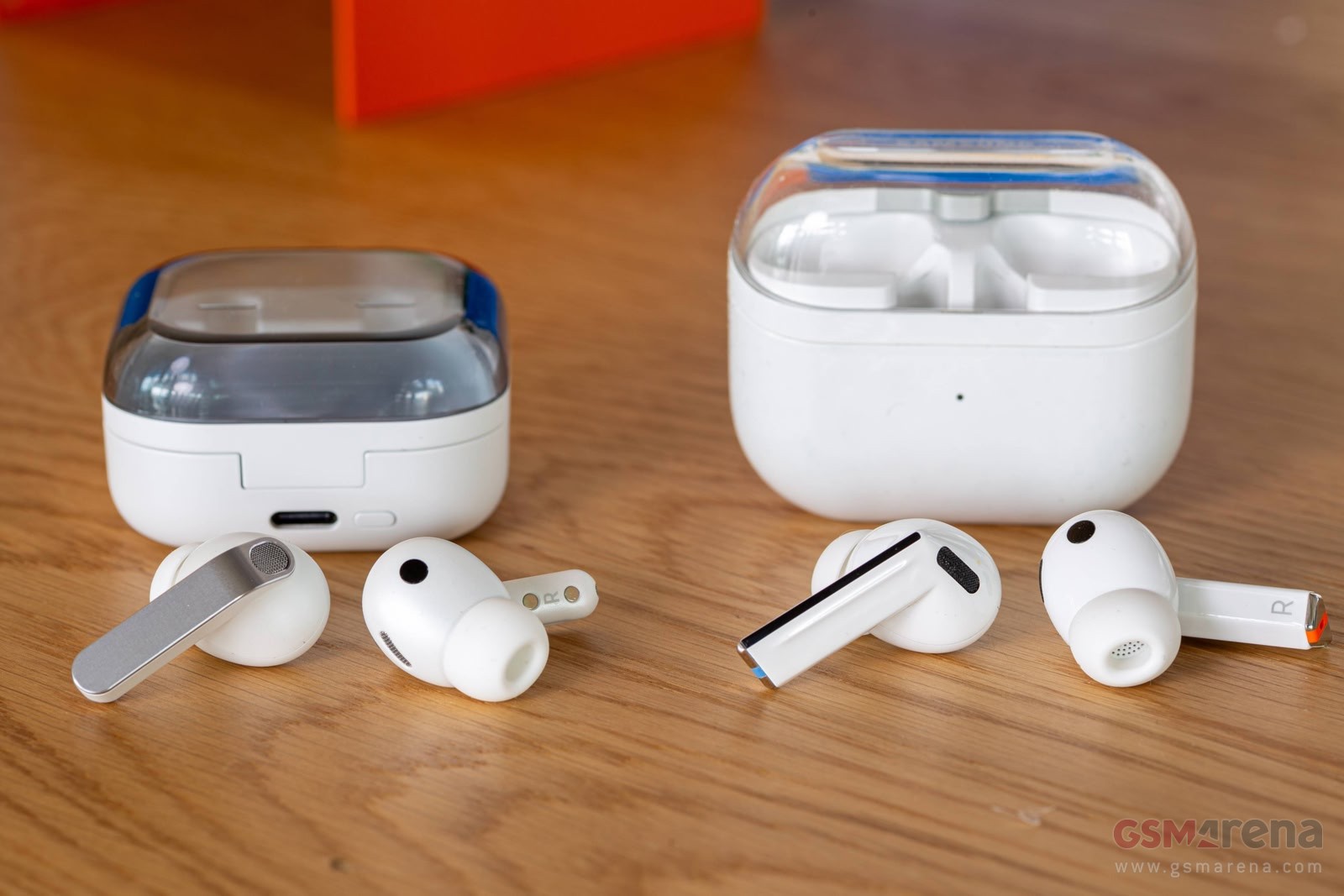
Samsung Galaxy Buds4 Pro and case (left) and Buds3 Pro and case (right)
One design element we are happy that Samsung retained from the previous generation is the transparent top for the case. It looks cool and is practical too since you can see that both buds are safe at home in their case without having to open the case.
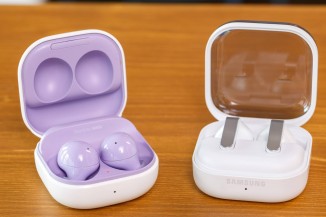
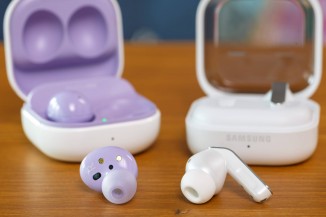
Samsung Galaxy Buds2 Pro (left) and Galaxy Buds4 Pro (right)

The case has a tiny LED that shows you the case charge status (you can get a detailed battery percentage in the app) and a button on the back to trigger pairing mode. Also on the back of the case is the USB-C port, while the bottom has a Qi coil for charging. This allows you to top off the buds using your phone’s reverse wireless charging mode, even if you don’t have a cable on hand.
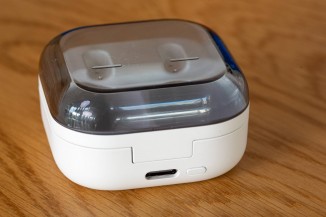
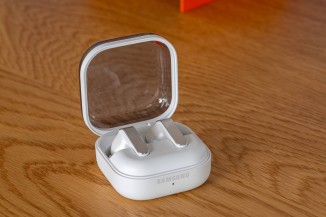
The transparent top is practical • The lay-flat design is much easier to deal with
Like before, the buds are rated IP57 (the non-Pro Buds4 are IP54). Be warned, though, the case is not water-resistant. If you misplace the buds, you can use the Samsung Find app – it shows the last known location on a map.
Controls
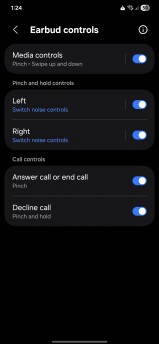
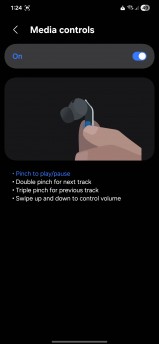
The stems on the Buds4 Pro offer pinch and swipe controls. There is a little divot on the stems to help you find the touch-sensitive area by feel. When you pinch the buds, they produce a “click” sound that is easy to hear even with music playing (the click is just audio played through the buds – people around you won’t give you weird looks about your clicky headphones).
Earbud controls

A single pinch does play/pause while double and triple pinches are for next and previous tracks, respectively. Swiping up and down adjusts the volume accordingly.
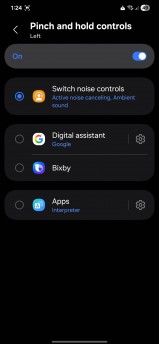
There is a customizable pinch-and-hold gesture too, which you can set individually on the left and right buds. You can use that to launch an AI voice assistant or to enable the Interpreter mode (live translation). The default configuration is for pinch-and-hold to change the noise cancellation setting (more on that later).
Additionally, pinch and pinch-and-hold can be used to answer or decline calls. New this year are motion gestures that you do with your head – you can nod to accept a call or shake your head to reject it. This may come in handy in situations where your hands are busy, e.g. while driving or cooking.
Comfort
We found the Galaxy Buds4 Pro quite comfortable to wear for long periods. They fit securely without putting too much strain on the ears.
Even after years of using the stem-less Buds2, the Buds4 Pro felt quite natural – though it took a while before we got out of the habit of tapping the buds and started pinching the stems instead.
Call quality
The Galaxy Buds4 Pro support Super Wide Band Speech (aka Super Clear Call). This transmits voice call audio at 16kHz bandwidth. However, you will need a compatible Samsung Galaxy phone for this feature to be enabled. And not just any Galaxy but a recent S or a Z-series model. And support is pretty shaky – we’ve seen reports that Samsung broke it on the S24 series.
We did this test with a Galaxy S23, so Super Wide Band Speech wasn’t even an option. Still, the call quality sounded great – better than the Buds3 Pro and much better than the Buds2 Pro. The older Buds2 are at a disadvantage here, because Samsung has added an extra microphone at the bottom of the stem – this keeps it outside of the ear and offers much better pickup of your voice.
Connectivity
The Samsung Galaxy Buds4 Pro use Bluetooth 6.1 for their connection and offer only a limited selection of codecs – there’s the Samsung Seamless Codec (SSC), the basic SBC and AAC, plus LC3.
SSC is proprietary to Samsung, so only Galaxy phones can use it. If you plan on using the Buds4 (vanilla or Pro) with a non-Samsung phone, you should really check whether it has LC3 support as that is the only non-proprietary, high-quality codec on the list.
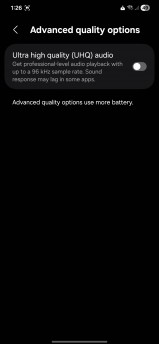
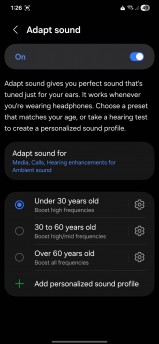
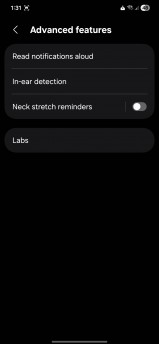
Sound settings
This is an odd and irksome limitation. There’s another one – the Buds4 technically support multi-point connectivity. However, the way it is implemented, it only works with a Samsung phone and a Samsung laptop. So, unless you are a Galaxy die-hard, the Buds4 Pro don’t actually have multi-point connectivity.
A few other things worth mentioning – Auracast is supported and you can control the reception from the Samsung Wear app. Auracast is a localized broadcast that aims to replace that old FM radio blasting in the corner of the fitness center. Some airports and train stations have started using Auracast for arrival and departure announcements too.
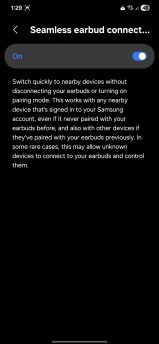
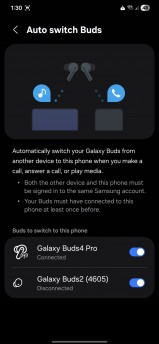
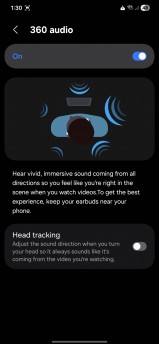
Some features like multi-point connectivity and 360 Audio are Samsung-exclusive
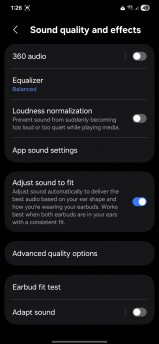
There’s also 360 Audio, which creates an immersive soundscape from the right source – Netflix, Disney+ and HBO Max have certain titles available with spatial audio.
Audio quality
Like previous generations, the Pro buds have 2-way speakers (woofer + tweeter). This year, the woofer is 20% larger. And you can feel it – the buds boost bass above a flat sound profile. The good news is that they also bump up the highs, which results in a balanced sound. Yes, it’s accentuated, but it’s the same with displays – most people prefer saturated colors over accurate ones.
If you are not happy with the default setup, the app offers a 9-band equalizer if you want to dial in the sound manually as well as 6 presets that you can choose from. We used the default equalizer setting (Balanced) as that’s a good fit for different music genres but also audiobooks.
As noted several times above, we did the test with a Galaxy S23, so we listened to the SSC codec. Reception was strong even behind a concrete wall, so you can leave your phone and walk from room to room without losing connection.
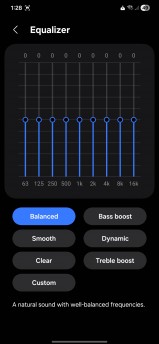
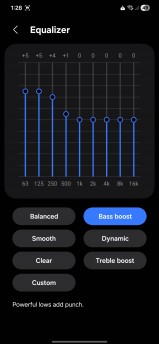
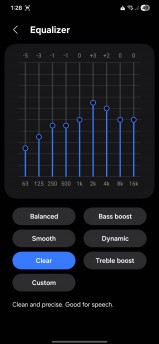
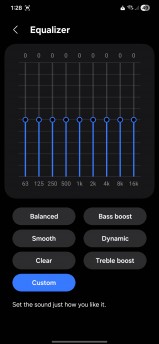
A 9-band equalizer is available
Active Noise Cancellation (ANC)
Samsung advertises enhanced Active Noise Cancellation (ANC) for the Galaxy Buds4 Pro. You can control it via the pinch-and-hold gesture, from the app or from a widget.
In the app there is a slider with 5 settings to dial in the strength of the cancellation. For the battery test below and just in general, we had the ANC slider set to maximum. With that, the buds did a good job of tamping down tire and engine noise when on the road, though some still leaked through. They were a lot better at muting loud conversations nearby.
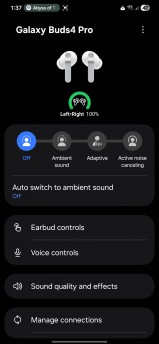
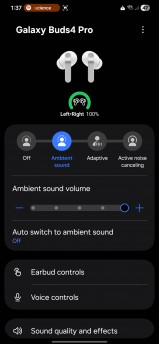
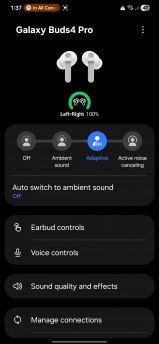
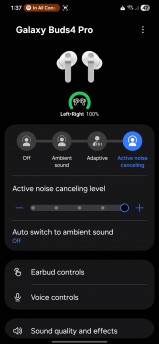
Ambient sound and Active Noise Cancellation Settings
If you don’t want to shut out the world around you, you can use either the Ambient or the Adaptive mode. Ambient mode (aka transparency mode) has a barely audible noise in a very quiet room, while outside it feels very natural.
The Adaptive mode automatically adjusts the ANC strength between Ambient and full ANC. In our testing, it kept ANC below maximum level and it maintained a constant volume for the outside noise.

There is a feature that automatically enables Ambient mode when it detects human voice (i.e. when someone is talking to you) or sirens. It can also enable Ambient mode during voice calls – this lets you hear the sound of your own voice when talking, which feels more natural.
Battery life
The Galaxy Buds4 Pro have a 61mAh battery inside each bud and a larger 530mAh cell inside the charging case. Officially, they can play audio for up to 6 hours continuously with ANC enabled and for up to 26 hours total with the case.
With ANC on (and set at max), the buds dropped under 10% charge in 6 hours, matching Samsung’s claims. We also tried it with noise cancellation disabled and got 8 and a half hours of listening time before the buds dipped under 10%.
After both tries, we put the buds back in their case to measure how much it takes to recharge them fully – both times the case lost around 40% (a bit more or less, depending on the exact charge of the buds before we started). If you fully charge the buds and case before you leave, you have three and a half charges – that works out to 21 hours with ANC on and around 30 hours with ANC off.
The app
We’ve covered basically everything that the Galaxy Buds app has to offer, here we will just note that it’s built into One UI, while other Android branches (and iOS) will have to install it as a separate app.
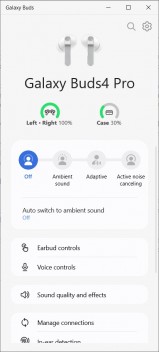
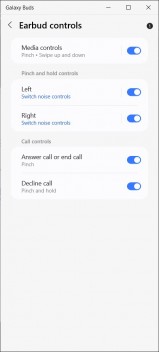
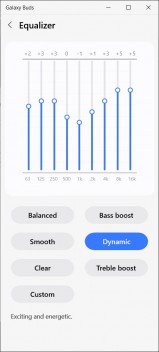
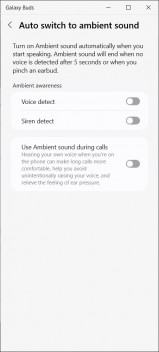
The Windows version of the Galaxy Buds app

There’s also an app for Windows, which gives you the same controls as the Android app. Again we have to complain that some features like multi-point connectivity are gated behind the Samsung logo. Other features like 360 Audio didn’t show up either.
Conclusion
Are the Samsung Galaxy Buds4 Pro the best buds on the market? If you have a Galaxy phone, especially a new high-end model, the answer is a clear yes. You could save some money by going with the Buds4 or even the Buds3 FE, but you will miss out on features.
And you can find the Buds4 Pro on sale pretty often, anyway, so their premium price is less of a concern if you have patience. The prices we listed – $250 / £220 / €250 / ₹23,000 – are the MSRP, not the market price.
However, the answer is more complicated if you don’t use a Samsung phone – or even if you do, since (as we saw above), some features are only available on recent S and Z models.
The Buds4 Pro deliver on noise cancellation with any brand of phone and will deliver on sound quality, if your phone has the LC3 codec. But between codec limitations and locking non-Samsung devices from certain features (multi-point connectivity, 360 Audio, etc.), the premium price becomes harder to justify.
Pros
- Great sound quality
- Improved Active Noise Cancellation
- Comfortable
- Improved design for the buds and case
Cons
- Battery life is average
- Limited codec support
- Some things (e.g. multi-point connectivity) are only for Samsung devices
We may get a commission from qualifying sales.