
Last month, Spotify added new features like Running Mode and User Notes. Now the streamer is building on the latter idea with Playlist Notes.
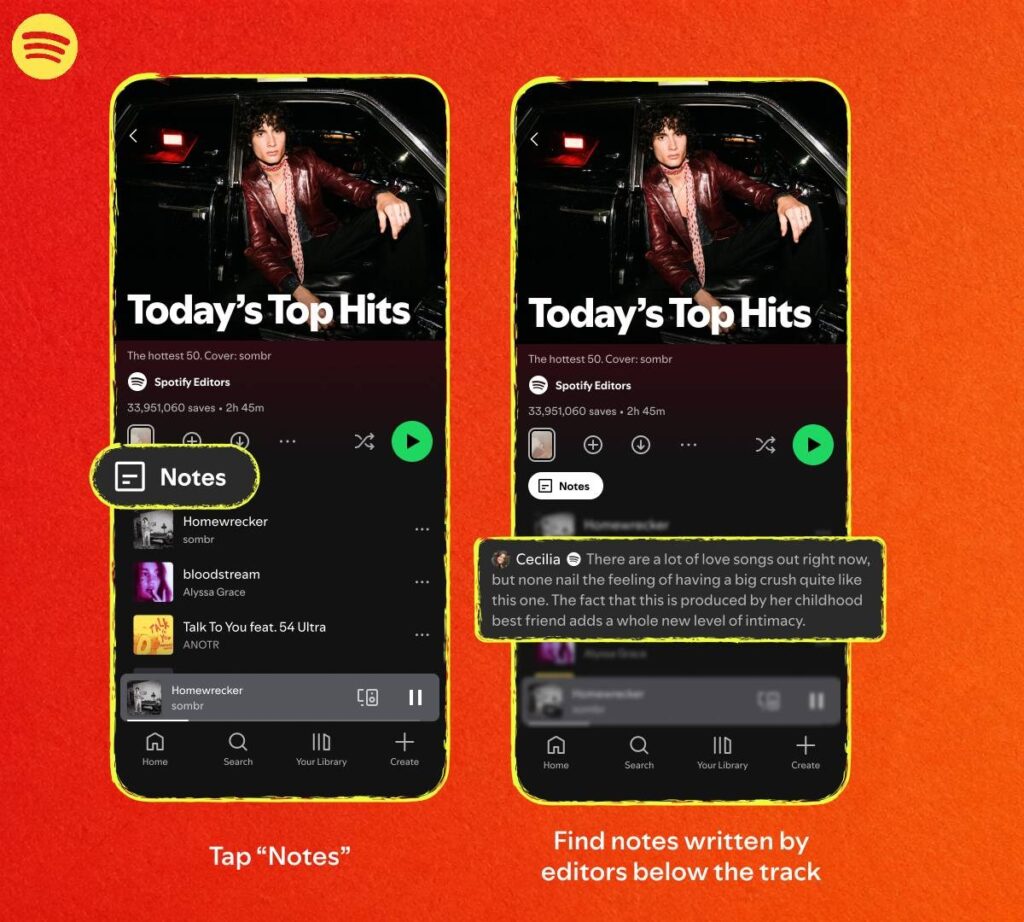
These will be used by Spotify’s global team of playlist editors to explain the thinking behind the given playlist – why was a song included in this particular list and what makes it culturally relevant?
To get the answer to those questions, head to one of the big playlists and hit the Notes button at the top. There is a caveat to this – the Notes feature is available to users (16 and older) in the US, Canada, the UK, Ireland, Australia and New Zealand. There is no word on when it will be rolled out beyond the Anglosphere.
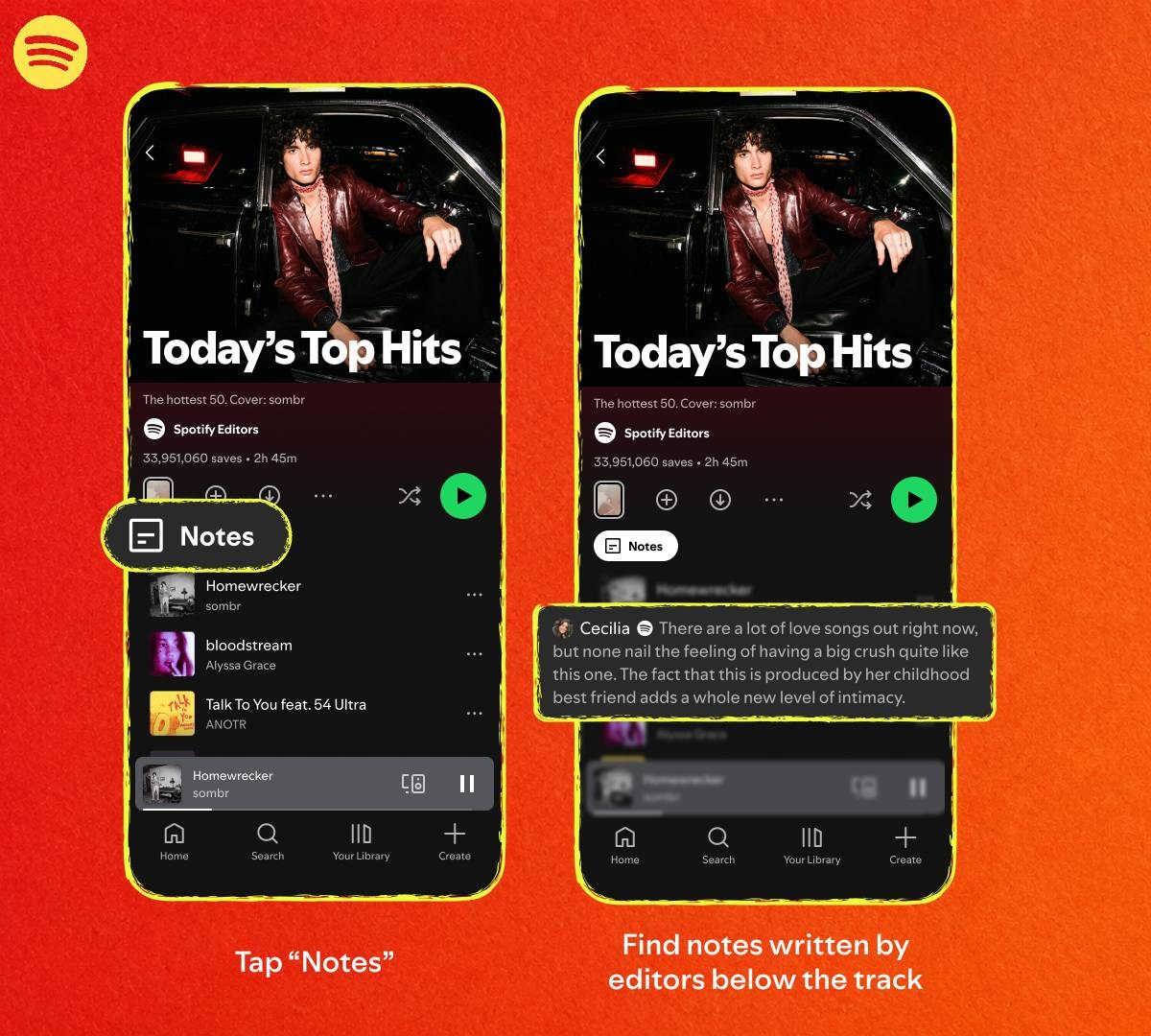
Spotify adds Playlist Notes

By the way, you can also learn more about the playlist editors themselves by tapping on their name in the playlist view – this will take you to the Editor Profile.
It’s not just Spotify’s editors, though, you can add notes too – on mobile, tap the three dots next to a track and pick “Add note” from the menu. Your note will appear under the track. This feature is available on Android and iOS in over 100 regions, unlike the editor notes.
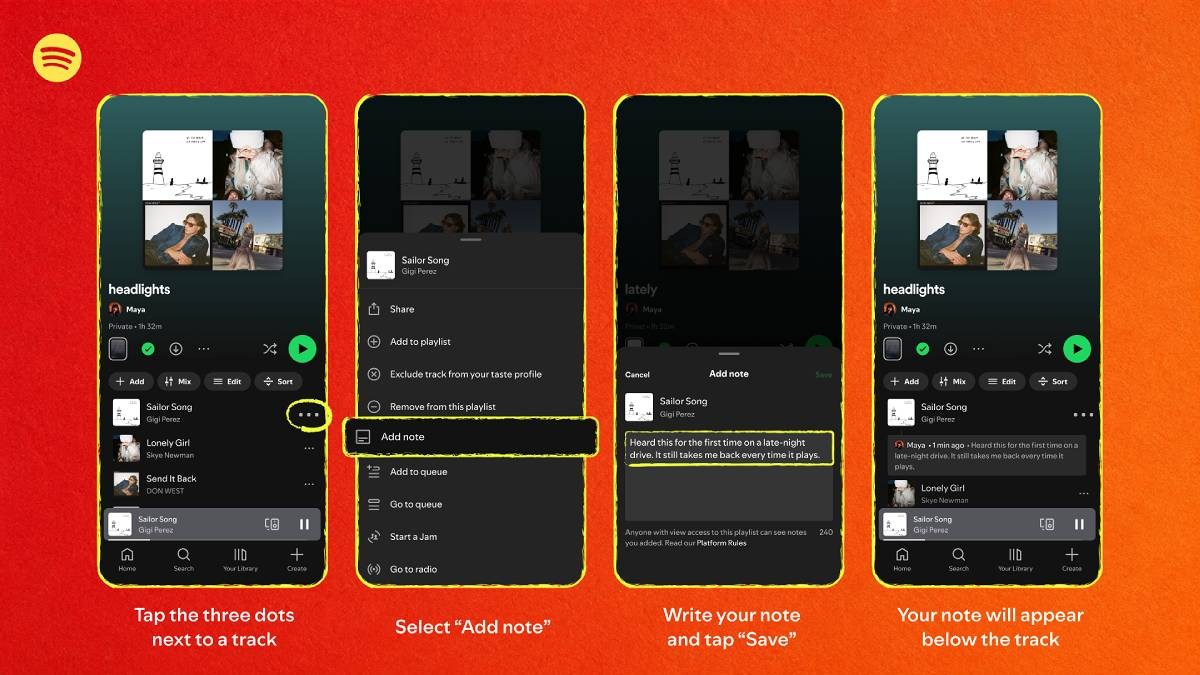
Adding your own notes

You can write something you want to remember for your favorite tracks. This might be even more useful for audiobooks and podcasts on Spotify – it’s a place to write down your thoughts on what you just listened to. Keep in mind that your notes will be visible to people who you have shared your playlist with.