








You know how Samsung offers a 6-month trial of the Google AI Pro plan for free with select Galaxy devices? Beyond the AI features, that plan also gives you 5TB of cloud storage – and soon you will be able to use that more easily, thanks to an upcoming change.
A new version of the Gallery Cloud Sync system app (v1.6.09.31) adds Google Photos integration. This is set to go live on October first – the day after Samsung drops OneDrive support. Technically, this move replaces Microsoft’s cloud storage service with a Samsung-native one – Samsung Cloud. However, that only gives you 15GB for free.
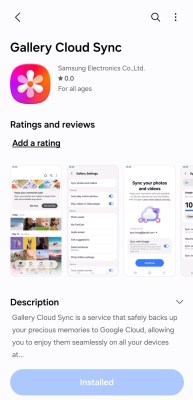
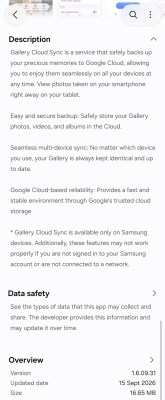
Samsung updated the Gallery Cloud Sync app to support backing up photos and videos to Google Photos
There are some more details on this Google support page. By default, photos and videos from your camera roll will be synced, but you can stop that and add whichever folders you want. Any synced files will be available across your connected devices and can also be viewed via the Google Photos app and web page. When you delete a file, it will disappear from both apps and from your cloud storage. Photos you edit will also be synced, but note that it’s possible that you’ll see both the original and the edited version.
There is a limitation – photos coming in from the Samsung Gallery Cloud Sync app will not be included in certain Google Photos features, including Memories and highlights, Live albums and Search. You can get around this limitation by just using the Google Photos app to sync them.
Also, it appears that some enterprising posters on X have managed to get this feature working already – here are screenshots from Fahad Ali Javed, which show Google’s 5TB plan in action.

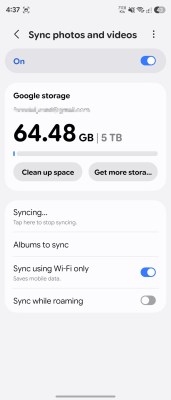
The new feature launches on October 1, but some have managed to get it working already
By the way, if you have a 2026 Samsung Smart TV, you should check out its Google Photos integration. The Memories feature pulls images from your Google Photos library to “show curated stories based on people, locations and meaningful moments”. Personalized Results is similar as it builds curated slideshows based on topics or specific memories.