







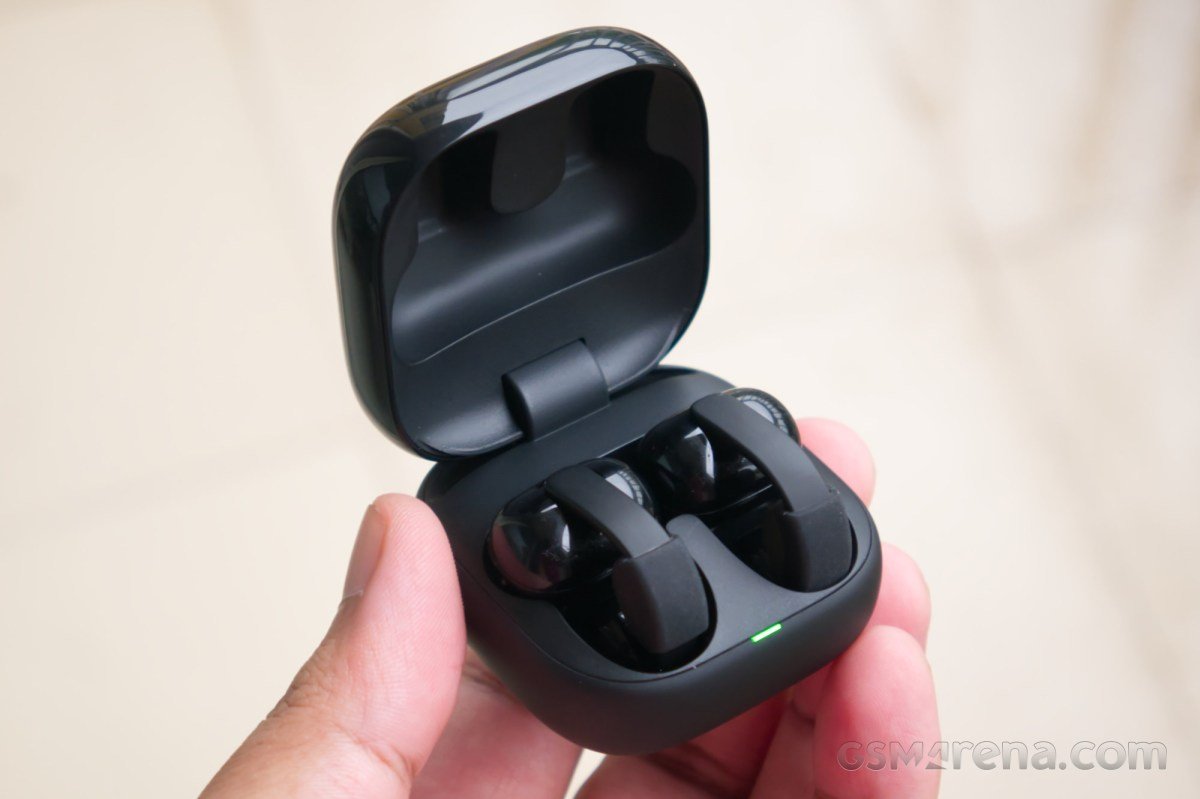
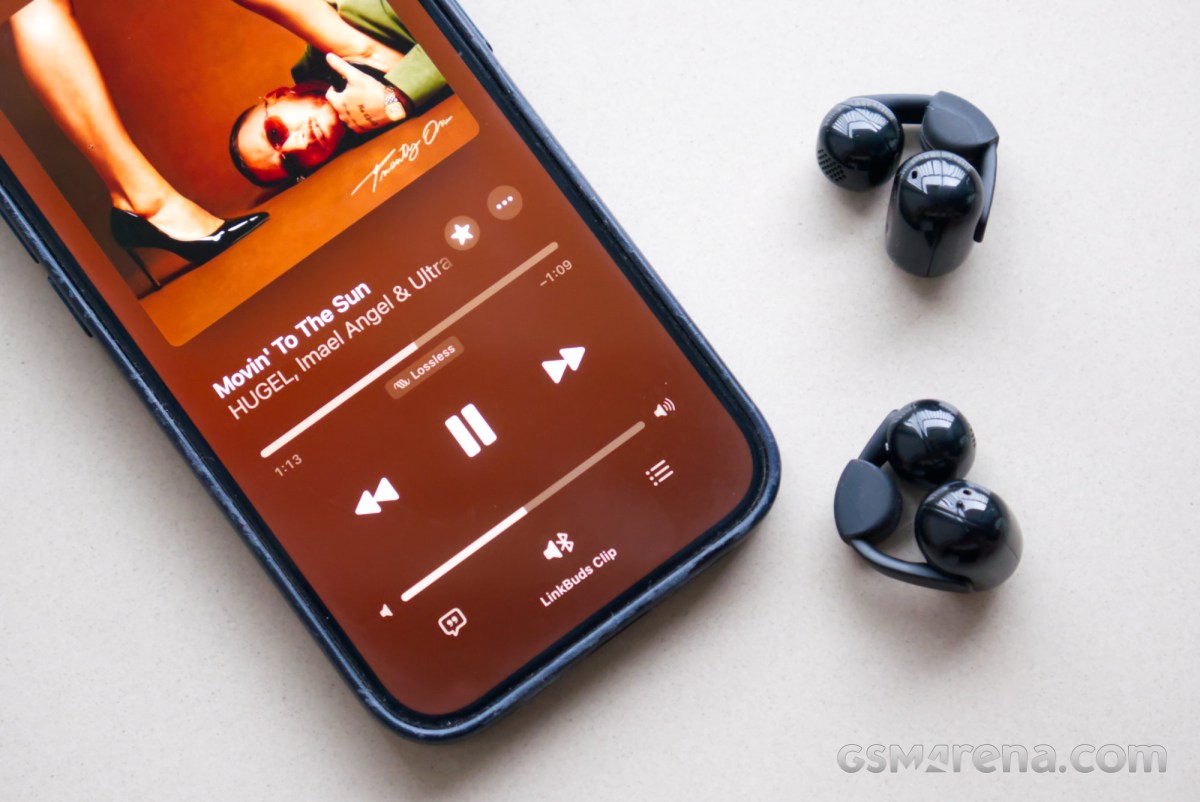
The LinkBuds Clip are Sony’s first clip-style earbuds. This style of earbuds claims to offer open-ear comfort and spatial awareness while being more secure than standard earbud designs. Sony promises all-day wearing comfort, balanced sound, and AI-enhanced voice pickup. The LinkBuds Clip come in four different colors and are priced at $230. Let’s see how they perform.
Design and comfort
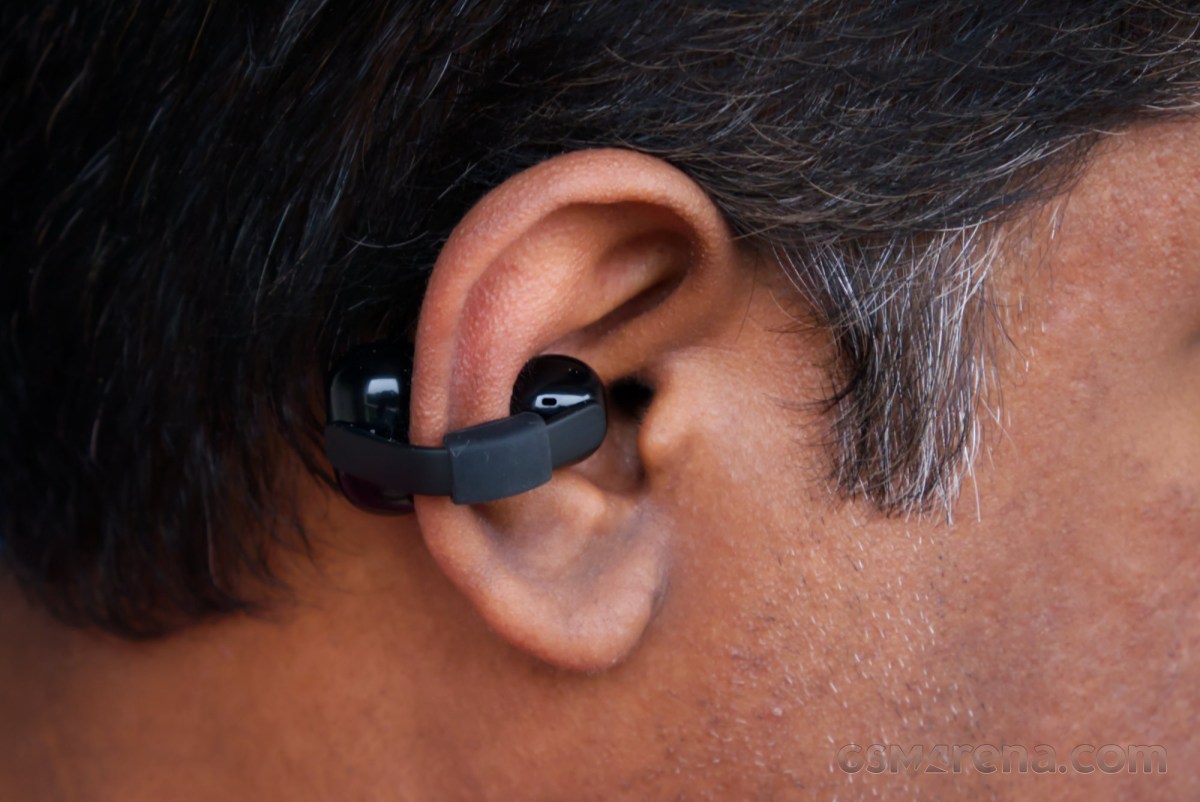
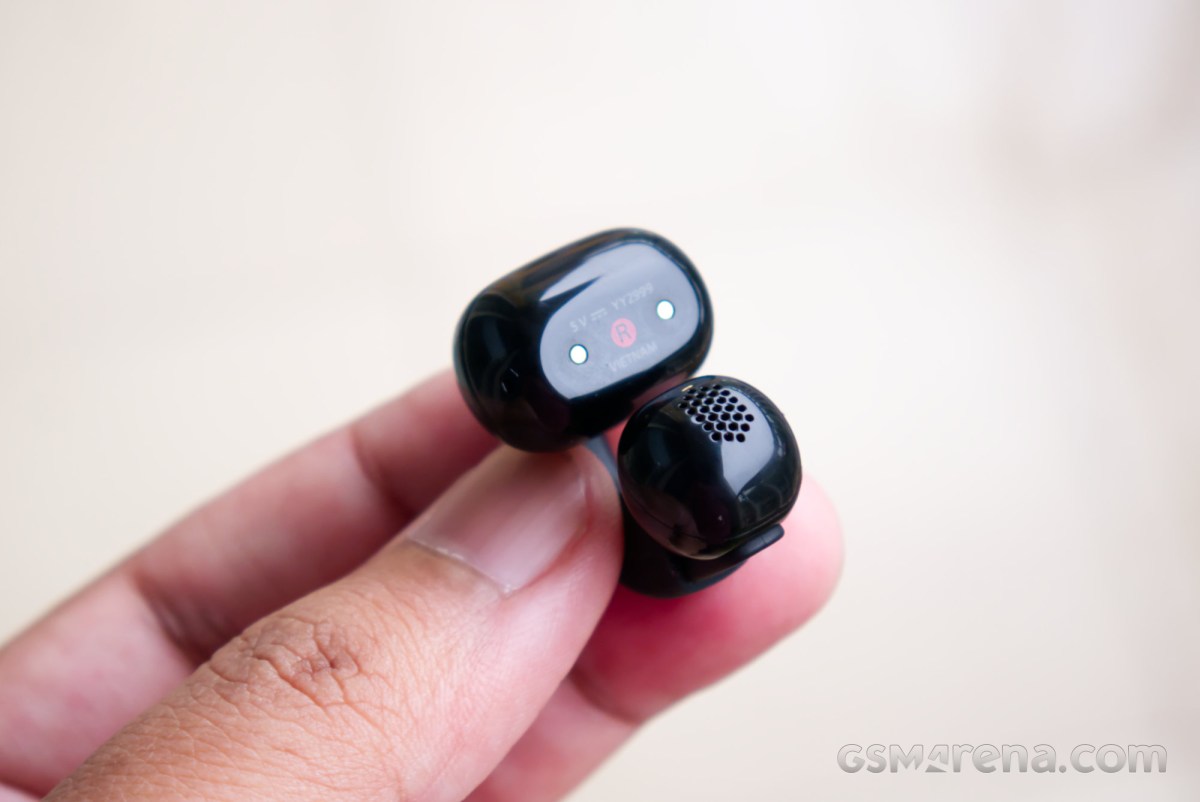
With the LinkBuds Clip, Sony is offering a fresh take on the design of clip-style earbuds. Instead of the typical wiry bridge connecting the speaker unit and main unit, the LinkBuds Clip use a flat ribbon-shaped bridge with simple geometric shapes. It’s not quite as flashy as some of the other options on the market, but it’s a chic, arresting design in its own right.
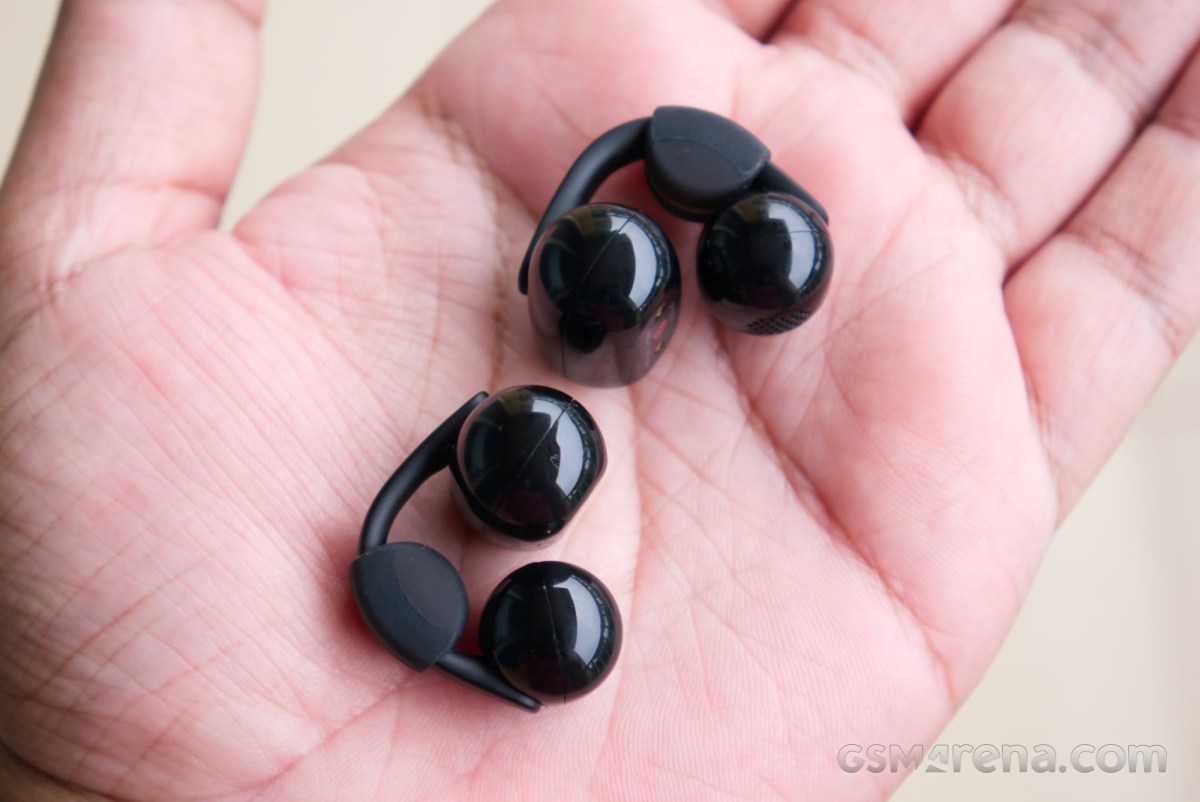
The bridge used on the LinkBuds Clip is stiff and does not flex as much as on other models we have seen. It helps clamp the two parts on either side of your pinna to secure them.
Sony has also included an additional piece of accoutrement in the form of the Fitting Cushions. You can either wear the LinkBuds Clip as is or slide this little piece of rubber onto the bridge before putting them on. The Fitting Cushions help anchor the earbuds on your pinna in case, like me, you have small ears where the LinkBuds Clip would otherwise be too loose.
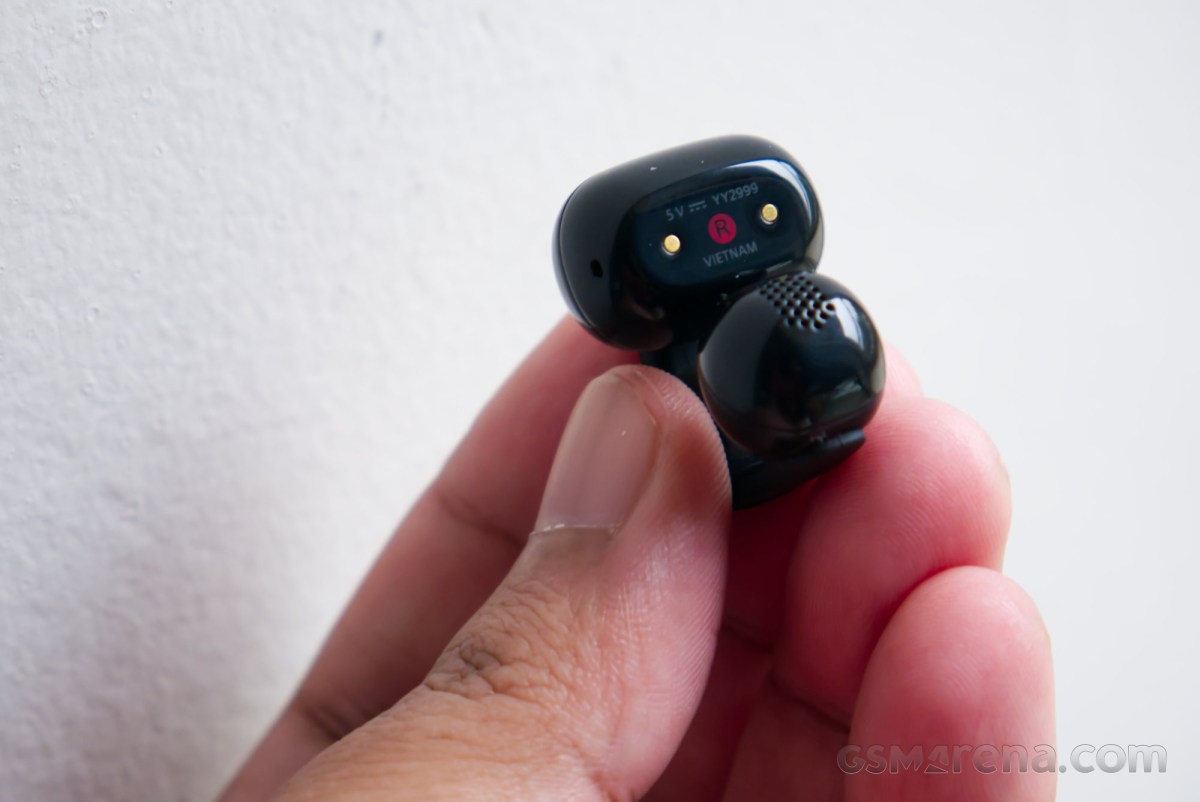
The LinkBuds Clip have no physical controls on either earbud. All features are accessed by tapping on the earbuds.
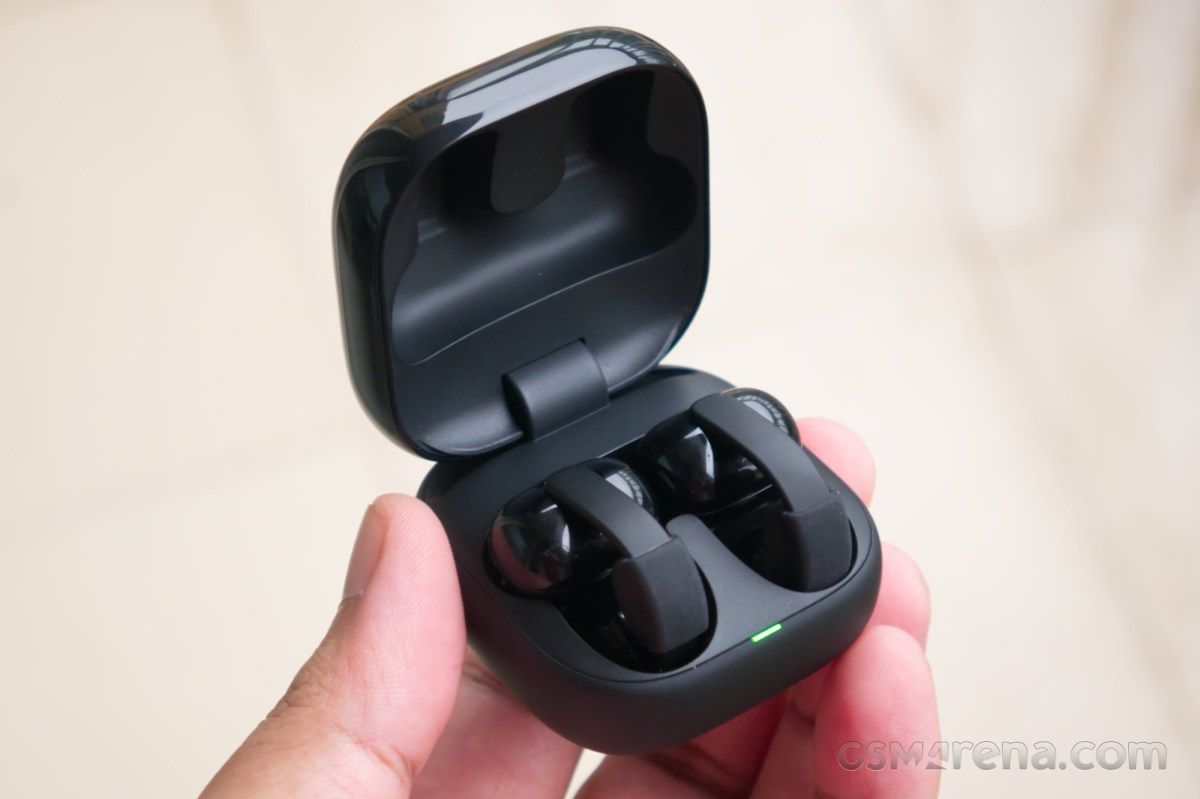
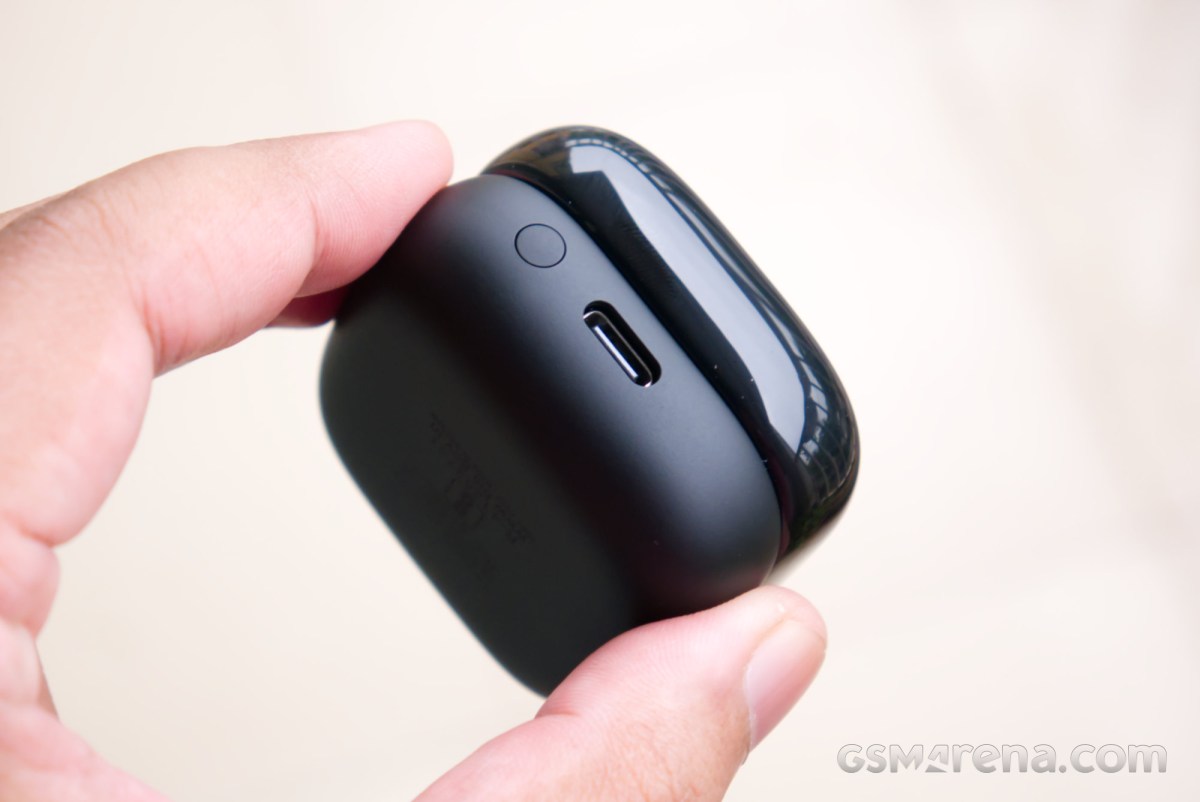
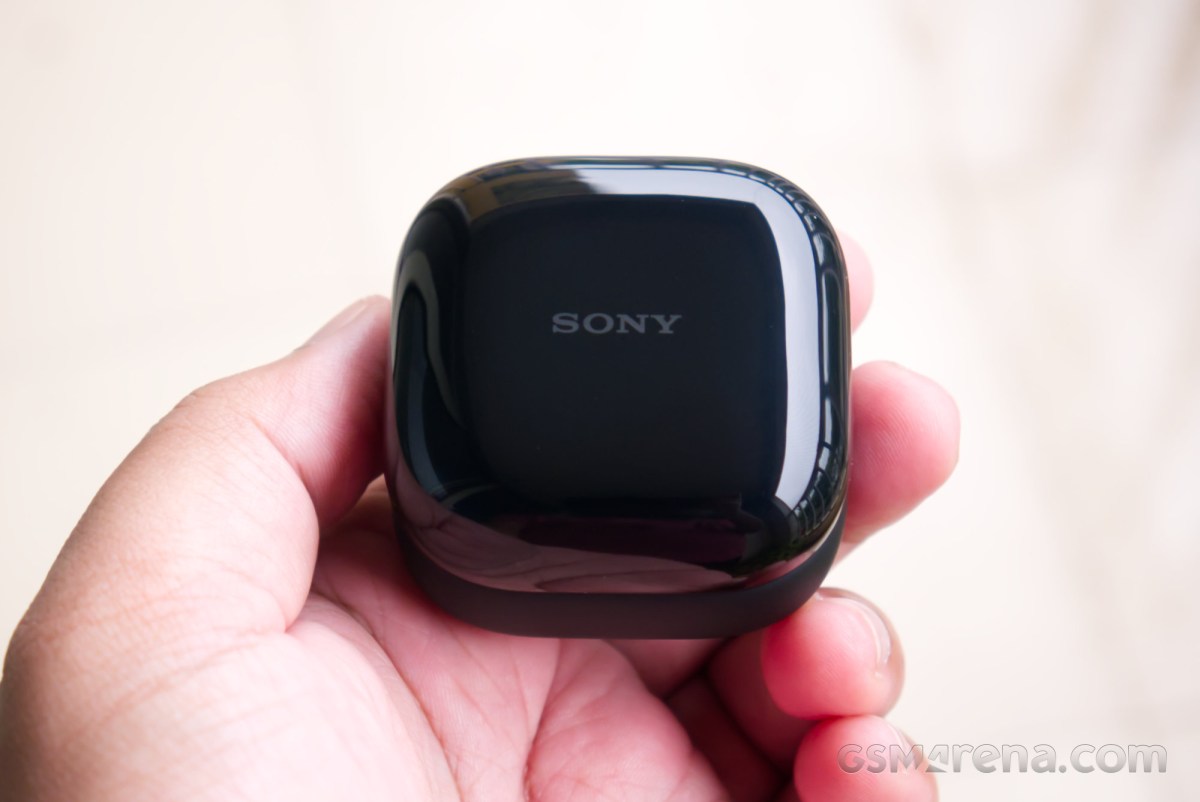
Moving over to the case, the LinkBuds Clip come in an adorable little case that almost looks like a ring box. The hinge is cleverly hidden inside, so from the outside all four sides look almost the same. However, the downside of this is that you often have to fumble around to figure out how to open the case, as the correct orientation isn’t always obvious.
You have a choice of four colors with the LinkBuds Clip. We have the Black model here, but you can also pick from Lavender, Greige, and Green.
The overall build quality of the earbuds and the case is good. Both feel reasonably well-made and sturdy. The earbuds have a glossy finish, much like the top of the case. I do feel that the case being glossy will age rather poorly over time, as it attracts smudges and scratches from being tossed around in your bag or pockets. The earbuds have an IPX4 rating for resistance against rain and sweat, but no such protection is available for the case.
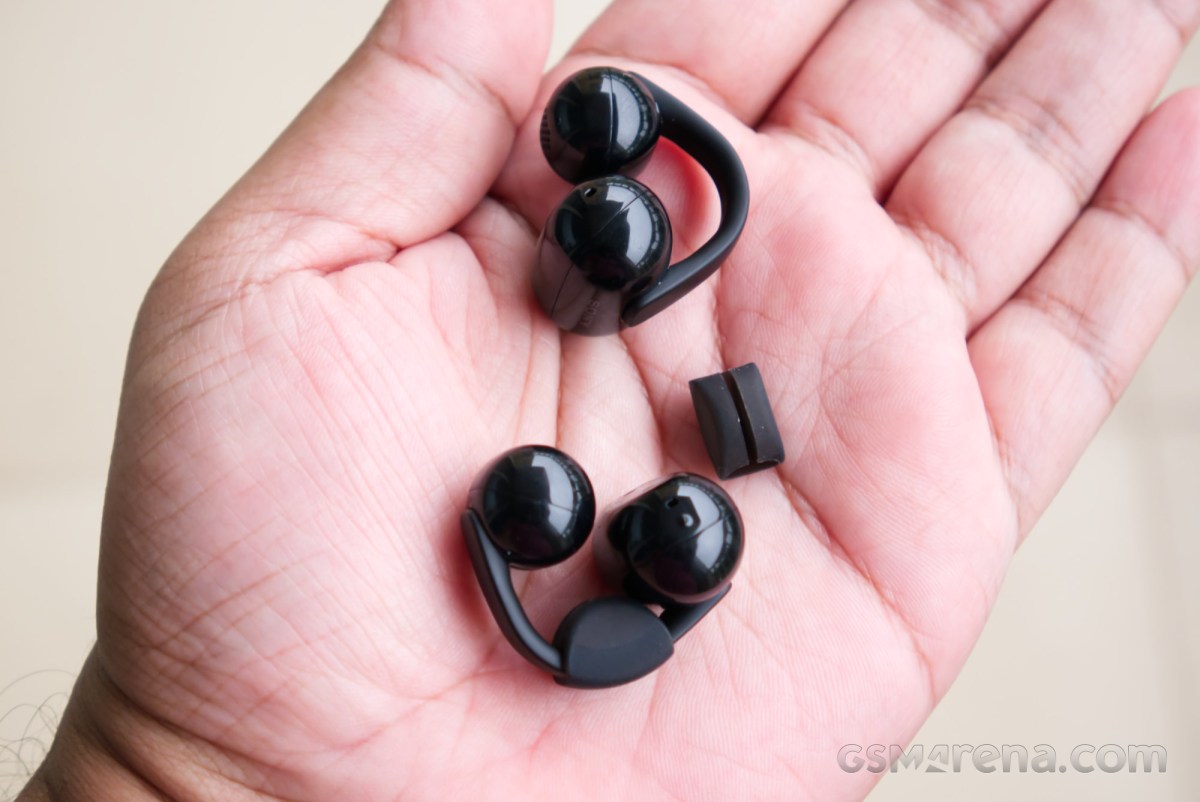
Comfort is a big reason some people claim to like this style of earbuds, and the LinkBuds Clip did well in this regard for my ears. I wouldn’t go quite as far as calling them all-day comfortable, but I could easily wear them for a couple of hours without really even knowing they are there. After that time, I could usually start feeling them pinching my ears from both sides, and eventually I had to take them off before it got unbearable. Since they are designed to sit on the outer side of the ears, the level of comfort you can expect from them can vary wildly from person to person, and it’s difficult to say definitely if everyone will find them to be comfortable.
I would like to note that comfort, and overall fit in general, was atrocious for my ears before attaching the Fitting Cushions. I couldn’t go more than fifteen minutes before getting severe ear pain. However, that little piece of rubber works magic, and I would strongly recommend using the earbuds with and without the Fitting Cushions to see what works best.
Software and features
The LinkBuds Clip support Sony’s Sound Connect app available on Android and iOS. This is the same app that Sony uses for all its audio products, and the only thing that changes is the number of visible features based on the product paired to it.
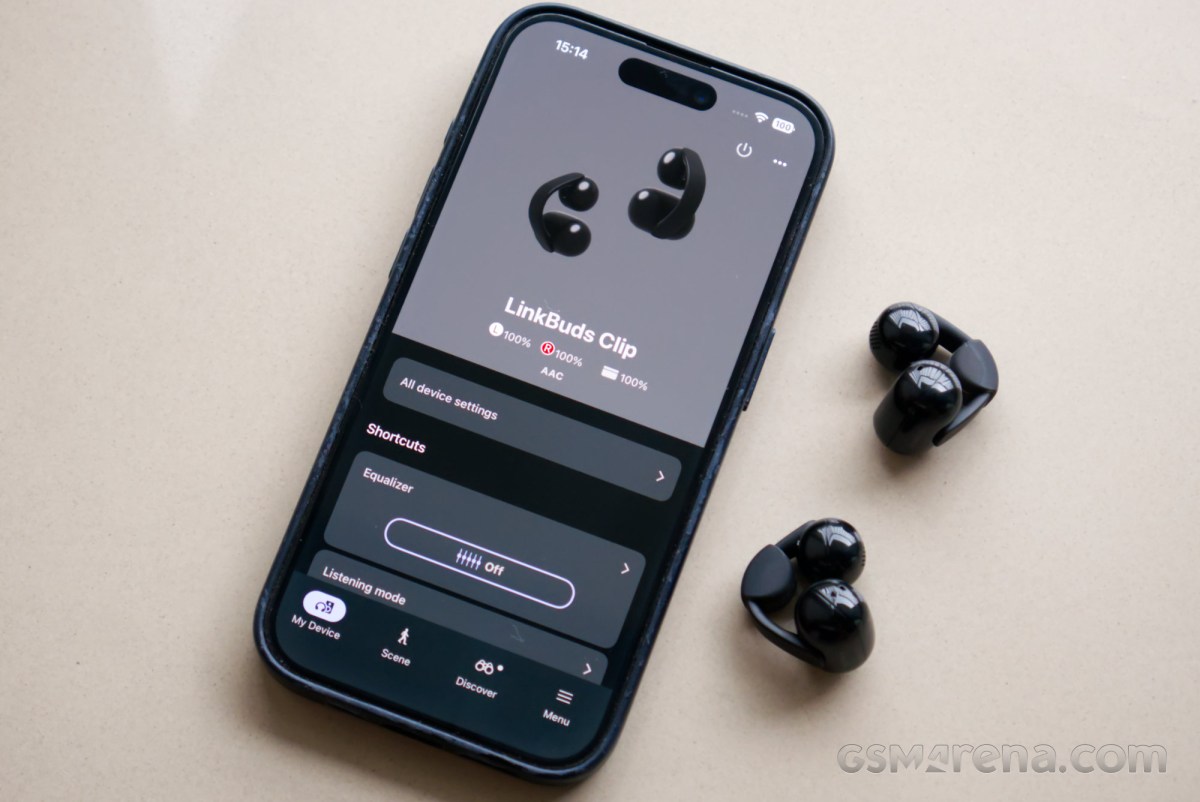
The LinkBuds Clip are very light on features. The list of options available includes the equalizer, a bunch of listening modes, a Bluetooth connection quality toggle, Sony’s Digital Sound Enhancement Engine or DSEE, adaptive volume control, and a Quick Access feature that launches a music app of your choice. The equalizer includes presets, a custom 10-band EQ with custom presets, and a configurator that lets you arrive at your preferred EQ tuning using preset options.
The Listening mode option lets you switch from the standard mode to Voice boost, which does what it says on the tin. There is also a Sound leakage reduction mode, which brings down the high-frequency sounds, as they are usually the ones people around you pick up on. Finally, there is a Background Music option here, which makes your music sound like it’s playing around you by simulating room acoustics, with presets like Cafe, Living room, and My room. Enabling any of the Listening modes disables the equalizer.
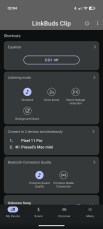
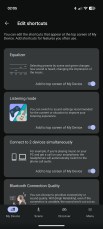
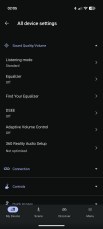
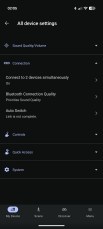


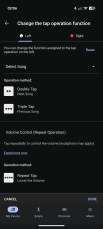

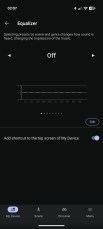

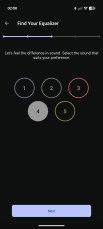
Sony Sound Connect app
The app lets you customize the tap gestures for the earbuds, within reason. You can’t just assign a function of your choice to different taps. The app offers a set of presets that include preconfigured taps. The Select Song preset, for example, assigns double tap to next song and triple tap to previous song. The Playback Control preset assigns double tap to play/pause and triple tap to next song. You can do this individually for each ear. It’s not clear why Sony doesn’t just let you pick the feature you want for single, double, and triple tap. Also, volume control is assigned to multiple, continuous taps and cannot be changed.
The LinkBuds Clip do not support wear detection. As a result, they do not automatically play or pause when you insert or remove them from your ears.
Performance
Audio quality
The LinkBuds Clip have a single 10mm dynamic driver. Bluetooth audio codec support is limited to SBC and AAC.
Clip-style earbuds aren’t known for their good audio quality. Without a proper seal, the drivers cannot achieve satisfactory levels of bass performance, and the overall audio experience suffers as a result. The Sony LinkBuds Clip are really no different in this regard.
Starting with the bass, the LinkBuds Clip perform quite poorly. Frequencies under 100Hz have very low energy, and anything under 60Hz is inaudible. Without a proper seal, the small drivers have to deal with a large volume of air, which they cannot move adequately. Most of that energy then fizzles out even before it reaches your ears. This is not unique to LinkBuds Clip but a common complaint with open-ear style earbuds.
To overcome this, some manufacturers drive the bass much harder at lower volumes. The bass then tapers off rapidly as the volume levels rise to prevent bottoming out the drivers. This results in sound that changes dramatically as the volume levels change. Sony avoids this by maintaining the frequency response across the entire volume range. This keeps the sounds consistent but also means the feeling of low bass remains regardless of what volume you’re listening at.
Things change dramatically on the other end of the frequency spectrum. The upper mids and especially the lower and mid treble on the LinkBuds Clip are quite potent. This makes the sound rather bright and airy, but the slightly forward upper mid presentation does make the sound a bit honky and shouty. Also, the treble rolls off after a point, so the upper treble isn’t as sharp as one would like.
The tuning of the LinkBuds Clip is quite uncharacteristic of Sony. While the lack of bass cannot be helped with this design, the company typically goes for a darker treble presentation. The LinkBuds Clip, however, has a much livelier tuning, focused on vocal and instrument clarity.
One of the advantages of an open-ear design like this is that it can utilize the shape of your external ear to improve its spatial characteristics. Imaging and soundstaging get a boost due to the sound bouncing off in your ears before going in at different intervals, creating an effect similar to hearing real-world sounds or speakers. Object positioning improves dramatically, with a distinct center and stereo image, and the sound overall feels more spacious and less boxed inside your head, as with traditional in-ears.
However, this design also has a serious downside, which is that the usable volume range is rather limited. You can only make the sound so loud before the drivers start distorting and, more importantly, everyone around you starts hearing it along with you. While music doesn’t typically present problems since it is mastered to be on the louder side, video content can come across as being rather muted even with the volume maxed out.
The other annoyance with this design is that it’s difficult to get a consistent fit across different sessions, or even each ear. The Fitting Cushions Sony provides do alleviate this to some extent by putting the earbuds in a somewhat similar position each time, but even with them it’s difficult to get both earbuds sitting in identical locations. And of course, for those not using the cushions, it will be even more difficult to get consistent placement.
The result of this is that the sound can often be noticeably different each time you put the earbuds in each ear. Perhaps the average person is just able to shrug this off or not even notice it, but it’s exactly the sort of thing that drives me up the wall. I would spend an unreasonable amount of time to get both earbuds to sound the same in each ear, and even then I could never get that to be a 100% match. This is typically not a problem with in-ears or with headphones, but open-ears, and especially the clip-style open ears, are notorious for this.
This also makes subjective analysis of these earbuds difficult. There is some amount of variance from person to person when using headphones or even in-ears due to changes in ear and head shape, resulting in a unique head-related transfer function, or HRTF. However, things are especially chaotic with open-ear earbuds like these, and your experience could vary wildly from mine depending on how the earbuds sit in your ears and how your ears are shaped.
Microphone
The LinkBuds Clip use a dual microphone setup along with a bone conduction sensor. The latter is able to identify the vibrations from your voice and use that data to isolate your voice from the surroundings, and the software then uses machine learning to further reduce background noise.
The microphone performance on the LinkBuds Clip is very good. Voice quality in quiet environments is impressive, with a natural timbre and intonation without any audible clipping by the noise reduction algorithm. The only thing preventing it from being excellent was the random popping noises that would crop up now and then.
In the noisy environment testing, the voice quality took a noticeable dip and sounded more like Bluetooth products of yesteryear. However, the voice itself was still clear, and the background noise was also impressively absent. Overall, the microphone performance is the best thing about the LinkBuds Clip, and make them a great option for long voice calls, especially since you can also hear yourself very well as you speak.
Noise reduction
The LinkBuds Clip have no active or passive noise reduction. That would be counterproductive, as these are designed to let outside noise in.
The advantage of this is obvious; you can wear the LinkBuds Clip and still be aware of your surroundings. How important this is to you is worth considering, especially since most in-ears now have fairly good transparency modes that achieve the same objective. The only time open-ear designs are superior to electronically aided alternatives is in windy scenarios, such as while biking or in a vehicle with open windows, where a transparency mode would produce a lot of buffeting noise.
However, if that one scenario does not apply to you, I do not see why you need to invest in an open-ear design specifically for spatial awareness. In-ear designs with ANC achieve the best of both worlds, including a transparency mode for when you want to hear your surroundings, and the noise cancellation mode when you’d rather be isolated. And they do all this without leaking your sound to your surroundings.
Open-ear designs can also often lull you into a false sense of security, where you think you can hear a potentially hazardous situation coming, but you can’t because your brain has decided to focus more on the music that’s playing than whatever is hurtling towards you. This is auditory masking, and it can be quite dangerous. You also lose context of quieter sounds and only hear the louder sounds, which could make someone walking over to close a door alarming because you never hear the footsteps leading to the door over your music, and the slam of the door makes you jump because it comes in loud and clear.
The point here is that the effectiveness of open-ear designs have always been greatly overstated. Unless you have some specific issue with using in-ear earbuds or think you’ll be biking a lot, open-ear designs are almost always the objectively worse alternative.
Latency
The LinkBuds Clip have decent latency performance. If you’re playing a game that triggers the game mode functionality on your paired device, the latency is next to unnoticeable. Even without the game mode triggering, the latency is still usable. Sony does not offer any low-latency mode in the app, so you cannot compensate for sources that don’t offer one.
Battery life
The LinkBuds Clip have a claimed battery life of 9 hours with continuous use. In my testing, I got 8 hours and 8 minutes of continuous playback, which is good but perhaps not that impressive, considering there aren’t any major battery-sapping features like active noise cancellation or even minor ones like wear detection sensors.
The company also claims a 3-minute charge from flat can provide an hour of playback. In my testing, I got 1 hour and 22 minutes.
The LinkBuds Clip only support wired charging, as there is no wireless option. This is a rather big omission, especially in this price range.
Conclusion
The LinkBuds Clip are a good first attempt at the open-ear clip-style design by Sony. The design is unique and eye-catching, the comfort was reasonable for my ears (for a few hours, at least), the microphone quality is great, and the battery also lasts long enough. However, there are two problems.
The first one is more like a collection of problems, which are all endemic to this style of open-ear earbuds. Their fit and comfort can vary a lot from person to person; the sound quality is usually inconsistent and unimpressive, and the spatial awareness afforded by the open-ear design is overstated and can be had through other means with far fewer compromises. This is truly a form-over-function type of format, and the LinkBuds Clip are guilty by association.
The second problem is the price. $230 is a lot for what is ultimately a rather basic pair of earbuds, functionally speaking. You can get flagship earbuds with all the bells and whistles and a world-class transparency mode, not to mention great performance, for like $20 more. Sony itself sells its previous flagship WF-1000XM5 earbuds for $280, and between the two, I know which one I’m picking.
Over time, the price should be less of a concern, as Sony products frequently go on sale. So if you must buy this style of earbuds, Sony has made a good one for you, provided you know what you’re getting into.